
 By Yuvrajsinh Vaghela
Contents
Every growing organization eventually reaches a point where information, tools, and communication channels become scattered across multiple systems. When users are forced to jump between platforms to complete simple tasks, productivity slows down and user experience suffers. This is where web portals step in as a centralized digital gateway that connects people with the resources they need quickly, securely, and efficiently.
Across industries, the demand for enterprise and client-facing portals keeps climbing as more businesses digitize internal workflows and move customer touchpoints online. What started as a convenience is now a baseline expectation: clients want self-service access, employees want everything in one login, and partners want real-time visibility into their shared operations.
That shift is why web portal development has moved from a nice-to-have to a core part of most digital transformation roadmaps.
Through delivering custom web portal development services, we frequently work with organizations that recognize the value of portals but are unsure which type aligns best with their business objectives, user expectations, and operational workflows.
Many businesses struggle to differentiate between customer portals, enterprise portals, vendor portals, and other specialized portal types, which can lead to poor technology decisions or underperforming platforms.
That’s exactly why we created this guide to help businesses clearly understand the different types of web portals, how each type functions, and when to use them.
By exploring these web portal categories, organizations can make more informed decisions when planning digital transformation initiatives or investing in scalable portal solutions.
What Is a Web Portal? Quick Overview
A web-based portal, also known as an online web portal or internet portal, provides authenticated users with a centralized dashboard accessible from any browser. In simple terms, the web portal meaning comes down to this: a secure, login-based website that delivers personalized content and tools to specific user groups, whether that’s employees, customers, vendors, or the general public.
A portal web application goes beyond a static website. It’s an interactive, data-driven platform with role-based access and integrated workflows. A modern portal web system connects multiple data sources like CRM, ERP, payment gateways, and third-party APIs into one unified interface.
Early internet portals like Yahoo! and MSN served as web gateways, offering search, email, and news from a single homepage. Browse the web portal examples below to see which type aligns best with your business model, user base, and workflow needs.
Today’s portals are far more sophisticated, offering personalized dashboards, single sign-on (SSO), role-based access control, workflow automation, and real-time notifications. To understand the full list of capabilities modern portals offer, see our breakdown of essential web portal features.
Key characteristics of a web portal:
- User authentication — Secure login with SSO and multi-factor authentication (MFA)
- Personalized access — Role-based content tailored to each user
- Data aggregation — Information from multiple sources in one centralized platform
- Self-service capabilities — Users accomplish tasks without contacting support
- Responsive design — Accessible across desktop, tablet, and mobile devices
Now that you understand what a web portal is and what makes it different from a standard website, let’s look at web portal categories — vertical vs horizontal — before diving into specific types.
Vertical Portals vs Horizontal Portals: A Detailed Comparison
Before diving into specific types of web portals, it’s important to understand the two broad classification frameworks: vertical and horizontal portals. There are many different types of portals and each designed for a specific user group, industry, or business function.
Let’s check the difference between these two frameworks before portal website development:
| Feature | Vertical Web Portal | Horizontal Web Portal |
|---|---|---|
| Target audience | Designed for industry professionals, niche communities, or users with specialized requirements. | Designed for the general public with varied interests and information needs. |
| Content scope | Provides deep, industry-specific content, tools, and insights focused on a single domain. | Provides wide-ranging content such as news, entertainment, search, and general information across multiple topics. |
| Personalization | Offers advanced personalization aligned with industry workflows, user roles, and professional needs. | Provides general personalization based on user behavior, preferences, or browsing history. |
| Business objective | Helps organizations improve operational efficiency, establish domain authority, and deliver targeted digital experiences. | Helps organizations attract large audiences, increase engagement, and provide centralized access to diverse content and services. |
| User experience focus | Focuses on solving industry-specific challenges and delivering specialized functionalities. | Focuses on convenience, accessibility, and providing a one-stop platform for general user needs. |
| Examples | WebMD, Zillow, edX | Yahoo!, MSN |
The 20 web portal types below are primarily vertical web portals — each designed for a specific business function, industry, or user group.
Looking to Develop a Web Portal for Your Business?
Get in touch with us. We have experienced developers who can develop custom web portals as per your business requirements. Schedule a call with us today.
20 Types of Web Portals with Examples and Features
Let’s explore the different types of portal websites and what makes each one unique. Each portal type offers distinct features and serves different user needs. Below, we’ve pulled together some of the top web portals used across industries today, along with the features and use cases that define each category.
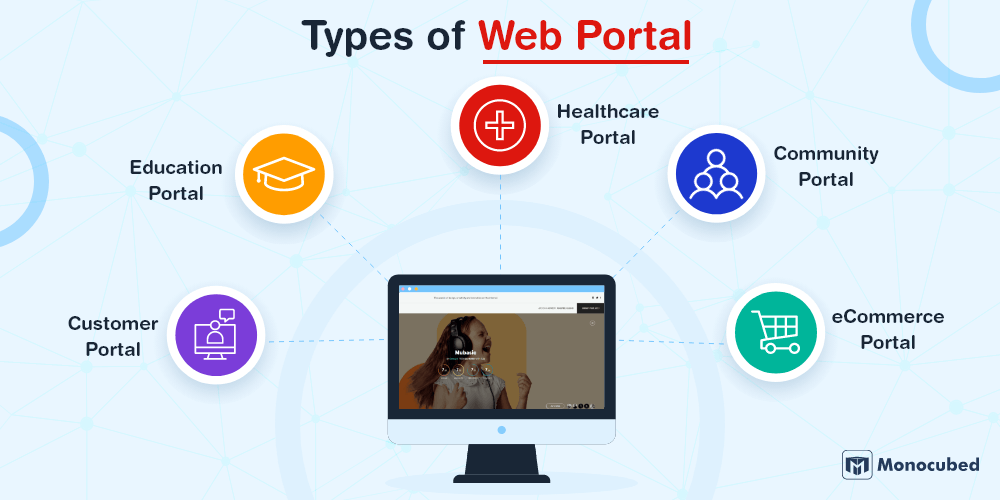
1. Customer portal
A customer web portal is a self-service platform that gives clients personalized access to invoices, orders, payments, and support. It serves as the primary digital touchpoint between a business and its customers.
A service web portal enables customers to submit tickets, track requests, and access support without contacting an agent. Modern customer portal solutions combine self-service tools, a knowledge base, and live support into one secure login, so clients get answers faster and your team spends less time on repetitive queries.
Developing a customer portal helps you to engage more customers and improve business growth. For instance: Clinked is one of the examples of web portals with a business platform that enables focus team collaboration and knowledge sharing.
Features to integrate with customer portal
| Feature | Description |
|---|---|
| Single and Secure Sign-In | The secure and easy sign-in option is a basic customer portal feature. Once the user signs in, the portal can provide a customized dashboard for all other personalized functions. |
| Knowledge Base | This feature allows customers to easily go online, search for their issues, and read related information to solve their problems. |
| Forums | This is where your customers connect with one another and your business. Having custom web portal services like forums makes customers use your portal more. |
| Multi-Language Support | With businesses having a global presence, having multi-language support is essential for your enterprise to grow and allow people from multiple backgrounds to connect with your brand. |
| Real-Time Notifications | Another important feature that allows you to send timely notifications about any new features, videos shared, articles shared, or new service times. |
| Payment Module | Online payments are the new normal. Adding multiple payment modules to your web portal facilitates the customer with multiple paying options. |
2. Employee portal
An employee web portal is an internal digital platform that provides staff with centralized access to HR services, company resources, payroll details, and internal communication tools. Employee portals improve workforce efficiency by enabling self-service administrative processes.
Example: Workday, BambooHR, SAP SuccessFactors, Gusto
For instance:
BambooHR is a cloud-based HR platform used by over 30,000 companies worldwide. It provides employees with a self-service dashboard where they can view pay stubs, request time off, update personal information, and access company policies — all without contacting HR. BambooHR also streamlines onboarding, performance reviews, and benefits administration from a single interface.
Features to integrate with employee portal
| Feature | Description |
|---|---|
| Employee Self-Service | A secure employee portal that allows staff to view payslips, download tax documents, update personal information, manage leave requests, track attendance, and enroll in benefits—reducing HR administrative workload and improving transparency. |
| HR Workflow Automation | Automates end-to-end HR processes including job posting approvals, candidate tracking, interview scheduling, onboarding checklists, document collection, probation reviews, and performance appraisals—ensuring compliance, consistency, and faster cycle times. |
| Internal Communication Tools | Centralized communication hub for company-wide announcements, policy updates, event notifications, team discussions, and cross-department collaboration. Includes notifications, role-based messaging, and document sharing to improve engagement and alignment. |
| Time & Attendance Tracking | Real-time tracking of employee work hours, shift scheduling, overtime management, remote clock-ins, biometric/device integrations, and automated leave accrual calculations—supporting payroll accuracy and workforce planning. |
| Benefits Management | Streamlined administration of health insurance, retirement plans, reimbursements, wellness programs, and custom benefit packages. Supports employee enrollment, eligibility tracking, documentation storage, and automated reminders for renewals. |
| Employee Directory | Dynamic, searchable database of employees with role, department, reporting hierarchy, contact details, skills, and availability—enabling faster internal networking, collaboration, and organizational visibility. |
Whether you want to centralize employees data or automate your HR workflow, choosing to develop an employee web portal is a wise choice.
3. Partner portal
A partner web portal helps organizations collaborate with resellers, distributors, and channel partners by providing access to shared resources, training materials, and performance insights. Partner portals strengthen business ecosystems by improving transparency and communication.
Example: Salesforce Partner Community, Oracle Partner Portal, Impartner
For instance:
Salesforce Partner Community shows how powerful these portals can be. Salesforce partners use it to access training materials, register deals, download marketing assets, and connect with other partners. It’s become the backbone of how thousands of partners grow their Salesforce-related businesses.
Features to integrate with partner portal
| Feature | Description |
|---|---|
| Document Management | Keep all your important files in one place – contracts, product specs, marketing materials, and technical docs. Partners always get the latest versions without having to ask for them. |
| Order and Inventory Management | Let partners place orders directly, check what’s in stock, and track their shipments. Smart features like automatic reordering and volume discounts make everyone’s life easier. |
| Performance Analytics | Give partners clear visibility into how they’re doing with sales reports, revenue tracking, and market insights. Visual dashboards help them spot trends and opportunities quickly. |
| Training and Certification | Offer online courses, certification programs, and webinars right in the portal. Partners can learn at their own pace and you can track who’s completed what training. |
| Communication and Support | Built-in messaging, help desk tickets, and discussion forums keep everyone connected. No more lost emails or missed announcements. |
| Financial Management | Handle commission payments, invoicing, and financial reporting automatically. Partners can see their earnings, payment history, and download tax documents whenever they need them. |
4. Vendor / supplier portal
A custom vendor web portal is designed to manage procurement and supplier relationships. It allows vendors to receive purchase orders, submit invoices, track payments, and maintain compliance documentation through a centralized interface. Vendor portal development helps you to digitalize your business operations and improve the workflow efficiently.
Example: SAP Ariba Supplier Portal, Coupa Supplier Portal, Oracle Supplier Portal
For instance:
SAP Ariba is a leading vendor portal that connects over 5.5 million businesses across a global procurement network. Suppliers use SAP Ariba to receive purchase orders, submit invoices, track payment statuses, manage compliance documentation, and monitor their delivery performance — all through a centralized, cloud-based procurement interface.
Features to integrate with vendor web portal
| Feature | Description |
|---|---|
| Purchase Order Management | Create, approve, and track procurement orders through a centralized system. Includes multi-level approval workflows, budget validation, real-time status tracking, order history, and integration with inventory and finance systems to prevent overspending and improve procurement visibility. |
| Invoice Submission | Enable vendors to securely upload invoices via a self-service portal. Supports automated invoice validation, PO matching (2-way/3-way matching), tax compliance checks, dispute handling, and real-time payment status tracking to reduce processing delays and manual errors. |
| Supplier Performance Monitoring | Track key vendor KPIs such as on-time delivery rate, order accuracy, quality compliance, response times, and SLA adherence. Generate performance scorecards and analytics dashboards to support data-driven vendor evaluations and contract renewals. |
| Contract & Compliance Management | Digitally store supplier contracts, certifications, NDAs, insurance documents, and regulatory records in a secure repository. Includes automated renewal alerts, compliance tracking, version control, and audit-ready documentation to reduce legal and operational risks. |
| Payment Tracking | Monitor payment schedules, milestone-based payments, pending approvals, transaction history, and reconciliation status. Provides real-time visibility into accounts payable workflows and improves cash flow forecasting and vendor transparency. |
| Vendor Communication Tools | Built-in messaging, document sharing, and procurement collaboration tools that centralize communication between internal teams and suppliers. Maintains conversation history for audit trails and improves coordination during negotiations, order clarifications, and dispute resolution. |
5. eCommerce portal
An eCommerce web portal is a digital marketplace that allows users to browse products, place orders, and manage transactions online. These portals support both Business-to-Business (B2B) and Business-to-Consumer (B2C) digital commerce operations. Ecommerce web portals focus on digital transactions, while education portals focus on digital learning and academic collaboration.
Modern ecommerce portal development focuses on building scalable portal website platforms that handle bulk ordering, personalized pricing, secure payment processing, inventory management, and seamless user experiences for both individual customers and business buyers.
Example: Amazon Seller Central, Alibaba, Shopify Plus B2B
For instance:
Skullcandy sells earbuds, headphones, and accessories that connect people to music. Their website makes it easy to see why they’re so popular. The entire site has its signature black background, contrasted by images full of bright colors.
Features to integrate with ecommerce website portal
| Feature | Description |
|---|---|
| Pricing and Catalog Personalization | This feature will help with automated pricing rules, custom catalogs with pricing, and minimum and maximum order volume by the customer or store. |
| Corporate Account Management | This feature helps with self-administration, corporate account hierarchy, user logs and permissions, per-user requisition lists, multiple lists of quick orders, and shipment to different locations. |
| Facilitated Ordering Process | This feature helps in bulk ordering, volume-based pricing, order export before submission, and multiple requisition list per customer account. |
| Payment Flexibility | This feature includes payment on account, check or money order, credit card payments, and purchase orders. |
| Analytics | This section would showcase reports for negotiated quotes, sales team performance, sales reports per various criteria, and balance and credit limits per buyer. |
6. Education portal
An education web portal is a centralized platform that provides students, educators, and administrators access to learning resources, academic records, and virtual classroom tools. Education portals deliver online courses, training programs, and skill development modules.
With the growing demand for digital education, e-learning portal development enables organizations to create scalable platforms that support remote learning, course management, performance tracking, and real-time collaboration between instructors and learners.
Example: edX — offers online courses, certifications, and academic programs from universities and institutions worldwide. Also: Blackboard, Canvas LMS, Coursera.
Features to integrate in education portal
| Feature | Description |
|---|---|
| Unique Account Creation | This entry point feature will help students, parents, or agents access only relevant documentation and features. |
| Custom Field Options | This feature allows you to customize each aspect of your student application fully. |
| Multiple Payment Gateways | Adding multiple payment gateways to your web portal facilitates the customer with multiple paying options and takes care of your business needs. |
| Additional Student Recruitment Tool | This feature helps in streamlining the workflow processes. Also supports another onboarding process. |
| Monitoring Controls | This feature is essential to streamline operations and provide optimum customer engagement from start to finish. |
| Integrate with CRM | This portal feature helps you get information about all registered users, and you can monitor your leads in one place. |
7. Healthcare portal
A healthcare web portal allows patients to access medical records, schedule appointments, and communicate with healthcare providers through a secure digital interface.
Organizations looking to deliver better digital patient experiences and improve communication efficiency often invest in healthcare portal development to provide convenient, secure, and accessible healthcare services.
Example: Epic MyChart, Cerner Patient Portal, athenahealth.
For instance: Epic MyChart is the most widely used patient portal in the United States, connecting patients with over 305 healthcare organizations. Through MyChart, patients can view lab results, schedule and manage appointments, request prescription refills, communicate securely with their doctors, access telehealth video visits, and pay medical bills — all from a single, HIPAA-compliant dashboard.
Features to integrate in healthcare web portal
| Feature | Description |
|---|---|
| Medical Records Access | Secure, real-time access to digital health records including lab results, diagnostic reports, prescriptions, immunization history, treatment summaries, and clinical notes. Enables patients to stay informed while supporting continuity of care across providers and facilities. |
| Appointment Scheduling | Self-service scheduling system that allows patients to book, reschedule, or cancel consultations based on real-time provider availability. Includes automated reminders, calendar sync, waitlist management, and reduced no-show rates through notifications. |
| Secure Provider Messaging | Encrypted communication channel for patients and healthcare professionals to exchange medical queries, follow-up instructions, test clarifications, and care guidance. Maintains conversation history within the patient record for compliance and clinical reference. |
| Prescription Management | Digital prescription tracking that enables patients to request refills, view dosage instructions, receive renewal reminders, and integrate with pharmacy systems for faster processing and medication adherence monitoring. |
| Telehealth Integration | Built-in virtual consultation platform supporting video, audio, and chat-based appointments. Includes secure session access, document sharing, e-prescriptions, and integration with patient records for a seamless remote care experience. |
| Data Privacy & Security | Advanced security framework with end-to-end encryption, role-based access controls, audit logs, and compliance with healthcare regulations (such as HIPAA or regional equivalents) to protect sensitive patient information and ensure regulatory adherence. |
8. Knowledge management portal
A knowledge web portal is a centralized repository that stores organizational knowledge, documentation, training resources, and support content. It enables employees, partners, and customers to quickly find accurate information, improving productivity and decision-making.
Example: Confluence, Notion, Guru, SharePoint Knowledge Base
For instance:
Confluence by Atlassian is used by over 75,000 organizations as their central knowledge management portal. Teams use Confluence to create, organize, and share documentation, project wikis, meeting notes, and best practices. It features real-time collaborative editing, version history tracking, powerful search functionality, and integrates seamlessly with Jira and other Atlassian tools, keeping institutional knowledge accessible across departments.
Features to integrate in knowledge management portal system
| Feature | Description |
|---|---|
| Knowledge Base Repository | A centralized, searchable hub for storing documentation, SOPs, FAQs, training materials, onboarding guides, and technical resources. Ensures organizational knowledge is structured, accessible, and preserved across teams to reduce information silos and dependency on individuals. |
| Content Authoring & Editing | Intuitive editor with rich formatting, media embedding, templates, and collaborative drafting capabilities. Enables subject matter experts to create, update, and maintain knowledge articles efficiently while maintaining consistency in structure and tone. |
| Version Control | Comprehensive revision tracking that records content changes, authorship, timestamps, and rollback options. Prevents content conflicts, maintains historical accuracy, and ensures compliance-ready documentation management. |
| Advanced Search Functionality | Intelligent search powered by filters, tags, metadata, and keyword indexing. Supports natural language queries, auto-suggestions, and relevance ranking to help users quickly locate accurate and up-to-date information. |
| Role-Based Access Control | Granular permission settings that restrict content visibility, editing rights, and publishing authority based on user roles or departments. Enhances data security while enabling controlled knowledge distribution across internal and external stakeholders. |
| Analytics & Usage Insights | Real-time dashboards tracking article views, search queries, user engagement, feedback ratings, and content gaps. Provides actionable insights to optimize documentation quality, improve self-service adoption, and identify areas for knowledge improvement. |
9. Financial services portal
A financial services web portal provides users with secure digital access to banking, insurance, investment, and financial management services. These portals enable customers to manage financial accounts, conduct transactions, monitor investments, and access financial planning tools.
Example: Bank of America Online Banking, PayPal Business, Chase Online Banking, Robinhood
For instance:
Chase Online Banking is a great example of how modern banking works. Customers can do pretty much everything online – from simple balance checks to complex investment management. The mobile app even lets you deposit checks by taking a photo, which seemed like magic when it first came out.
Features to integrate with the finance portal
| Feature | Description |
|---|---|
| Account Management | See all your accounts in one view – checking, savings, credit cards, loans, investments. Real-time balances, transaction history, and digital statements make tracking your money straightforward. |
| Transaction Processing | Move money between accounts, pay bills, deposit checks with your phone camera, and send wire transfers. Set up automatic payments so you never miss a due date. |
| Security and Authentication | Multiple layers of protection including fingerprint login, text message codes, and smart fraud alerts. The system learns your habits and flags anything suspicious. |
| Financial Planning Tools | Budgeting calculators, spending trackers, and retirement planners help you make sense of your financial picture. Get personalized tips based on your actual spending patterns. |
| Customer Support Integration | Chat with representatives, schedule appointments with advisors, or browse help articles. Get answers fast without having to call and wait on hold. |
| Regulatory Compliance | All the behind-the-scenes work to keep your data safe and meet banking regulations. Access tax documents, maintain privacy settings, and know your information is protected. |
10. Information portal
An information web portal aggregates and organizes large volumes of content such as news, research, public data, and educational resources. These portals help users access structured information from multiple sources through categorized navigation and advanced search capabilities.
Example: Wikipedia, Britannica Online, National Geographic, CDC Information Portal.
For instance:
The New Yorker is one of the best examples of an informational portal that has informational sections like news, culture, books, and technology. It has a number of stories, news, and articles which leads to high traffic on a day-to-day basis.
Features to integrate with informational web portal
| Feature | Description |
|---|---|
| Content Aggregation | Automatically collect and consolidate content from multiple internal and external data sources such as APIs, RSS feeds, databases, third-party platforms, and user submissions. Supports real-time syncing, deduplication, tagging, and content normalization to ensure accuracy and consistency. |
| Categorized Navigation | Structured taxonomy framework with categories, subcategories, tags, and custom filters that enable intuitive browsing. Improves information discoverability, enhances user experience, and supports scalable content organization as the platform grows. |
| Advanced Search & Filtering | Intelligent search engine with keyword indexing, metadata filters, date ranges, content type selection, and relevance ranking. May include AI-powered suggestions and predictive search to help users locate precise information quickly. |
| Content Publishing & Management | End-to-end content lifecycle management including drafting, editing, approval workflows, scheduling, version control, and archiving. Supports role-based publishing permissions and integration with CMS or marketing automation platforms. |
| Multi-Language Support | Localization-ready architecture with language switching, translation workflows, regional content customization, and multilingual SEO capabilities to expand reach across global markets. |
| Subscription & Notification Tools | Automated alerts, personalized email newsletters, push notifications, and RSS subscriptions based on user preferences or content categories. Increases engagement, retention, and repeat platform visits through targeted communication. |
11. Self-service portal
A self-service web portal allows users to independently complete tasks such as submitting service requests, updating account details, accessing documentation, and resolving support issues without direct human assistance. Self-service portals help organizations reduce operational workload while improving service accessibility and response time.
Example: ServiceNow Self-Service Portal, Zendesk Help Center, Freshservice Portal
For instance:
ServiceNow Self-Service Portal is an enterprise-grade self-service platform used by thousands of organizations globally. It allows employees and customers to submit IT tickets, request services, browse a searchable knowledge base, track request statuses in real time, and access automated workflows for common tasks like password resets and software provisioning, reducing support team workload significantly.
Features to integrate with self-service web portal
| Feature | Description |
|---|---|
| Service Request Management | Centralized ticketing system that enables users to submit, categorize, prioritize, and track service requests. Supports attachments, SLA definitions, escalation rules, and automated notifications to ensure timely issue resolution and improved service accountability. |
| Knowledge Base Integration | Embedded self-service portal that provides access to troubleshooting guides, FAQs, documentation, and how-to resources. Reduces support volume by empowering users to resolve common issues independently while linking relevant articles directly to service tickets. |
| Account & Profile Management | Secure user dashboard allowing customers or employees to update personal information, manage service preferences, view subscription details, track historical requests, and configure notification settings for a personalized service experience. |
| Automated Workflow Processing | Intelligent workflow engine that routes tickets to the appropriate teams based on predefined rules, categories, or priority levels. Includes approval flows, task assignments, SLA tracking, and automated escalation to streamline operations and reduce manual intervention. |
| Real-Time Status Tracking | Live visibility into ticket progress, resolution timelines, assigned agents, and status updates. Automated alerts and notifications keep users informed throughout the service lifecycle, enhancing transparency and trust. |
| Multi-Channel Support Integration | Unified support system integrating chatbots, live chat, email, phone, social media, and helpdesk platforms. Consolidates interactions into a single dashboard to provide consistent, omnichannel customer service and complete communication history. |
12. B2B portal
A B2B web portal (Business-to-Business portal) is a digital platform that enables companies to interact, collaborate, and transact with suppliers, distributors, wholesalers, and channel partners through a centralized, secure interface.
These portals streamline procurement processes, order and inventory management, supply chain communication, contract pricing, and partner collaboration using role-based access and real-time data integration.
Modern B2B portal website development focuses on building scalable, integration-ready web portal platforms that improve operational efficiency, strengthen partner relationships, and support complex business workflows.
Example: Alibaba, SAP Ariba, Amazon Business, Salesforce Partner Portal
For instance:
Alibaba is the world’s largest B2B portal, connecting millions of buyers and suppliers across 190+ countries. Businesses use Alibaba to source products in bulk, negotiate pricing directly with manufacturers, manage purchase orders, verify supplier credentials through Trade Assurance, and handle cross-border logistics — all within a single B2B marketplace platform.
Features to integrate with B2B web portal
| Feature | Description |
|---|---|
| Bulk Ordering & Volume Pricing | Supports large-scale purchasing with tiered pricing models, negotiated contracts, MOQ handling, and dynamic discount structures. Automates price calculations based on order volume, customer category, or partner agreements to maximize cost efficiency and margin control. |
| Supplier & Partner Management | Centralized portal to onboard, manage, and evaluate vendors and channel partners. Includes contract tracking, performance scorecards, communication logs, SLA monitoring, and renewal alerts to strengthen long-term supplier relationships and accountability. |
| Order & Inventory Management | Real-time tracking of purchase orders, shipment statuses, stock levels, backorders, and warehouse allocations. Integrates demand forecasting and automated replenishment triggers to prevent stockouts and overstocking while improving supply chain visibility. |
| Deal Registration & Approval Workflows | Structured deal registration system for channel partners with automated validation, conflict detection, multi-level approval routing, and opportunity tracking. Ensures transparency, prevents channel conflicts, and accelerates sales cycle approvals. |
| Document & Compliance Management | Secure repository for contracts, invoices, tax documentation, certifications, and regulatory records. Features role-based access, version control, audit trails, and automated renewal reminders to maintain compliance and reduce legal risk. |
| ERP & Supply Chain Integration | Seamless integration with ERP, accounting, logistics, and procurement systems to synchronize financial data, inventory records, order processing, and reporting. Enables end-to-end operational visibility and eliminates data silos across business units. |
13. B2C Portal
A B2C web portal (Business-to-Consumer portal) is a digital platform that allows businesses to deliver products, services, and personalized experiences directly to end customers. These portals focus on intuitive user experience, simplified transactions, and personalized service delivery to improve customer engagement and retention.
Modern B2C portal development emphasizes mobile-friendly design, personalized recommendations, secure payment processing, customer account management, and seamless omnichannel experiences to help businesses attract, convert, and retain customers more effectively.
Example: Amazon, Netflix, PayPal Consumer Portal, Walmart Online
For instance:
Netflix is a leading B2C portal that serves over 260 million subscribers worldwide. Netflix delivers a highly personalized user experience through AI-driven content recommendations, individual user profiles, watchlist management, download-for-offline features, and seamless cross-device streaming. Its intuitive interface and personalized dashboard make it a strong example of how B2C portals prioritize user engagement and retention.
Features to integrate with B2C portal
| Feature | Description |
|---|---|
| Personalized User Dashboard | Dynamic dashboard that displays tailored product recommendations, order summaries, saved items, loyalty points, and account insights based on browsing behavior and purchase history. Enhances engagement, repeat purchases, and cross-sell opportunities through data-driven personalization. |
| Product Browsing & Search | Advanced product discovery with category hierarchies, smart filters (price, ratings, attributes), sorting options, and predictive search suggestions. Optimized for fast navigation across large catalogs to reduce friction and improve conversion rates. |
| Secure Checkout & Payment Integration | Streamlined, secure checkout experience with multi-payment support (cards, wallets, UPI, BNPL), tokenized transactions, fraud detection, and PCI-compliant processing. Includes guest checkout and saved payment methods to minimize cart abandonment. |
| Order Tracking & History | Real-time order status updates, shipment tracking, delivery notifications, and access to complete purchase history. Supports returns, exchanges, invoice downloads, and reorder functionality to enhance post-purchase experience. |
| Customer Support & Self-Service | Integrated help center with FAQs, ticket submission, live chat, chatbots, and service request tracking. Enables customers to resolve common issues independently while maintaining seamless escalation to support agents when needed. |
| Loyalty & Rewards Programs | Configurable rewards engine offering points, tier-based benefits, referral incentives, personalized discounts, and promotional campaigns. Drives customer retention, increases lifetime value, and encourages brand advocacy through gamified engagement strategies. |
14. Insurance portal
An insurance web portal is a digital platform that allows policyholders, agents, brokers, and insurers to manage policies, claims, payments, and coverage details through a centralized interface.
Insurance portals simplify complex insurance workflows by providing secure, self-service access to policy management and claim processing. As the insurance industry continues its digital transformation, building insurance portal websites help insurers improve customer experience, reduce administrative overhead, and accelerate claim resolution.
Example: Lemonade, Geico
For instance:
Lemonade is an AI-powered insurance portal that has transformed the traditional insurance experience. Lemonade allows users to get insurance quotes in seconds, purchase policies entirely online, file claims through a chatbot-driven interface, and receive claim payouts in as fast as 3 seconds. Its portal simplifies policy management, premium payments, and coverage adjustments through a clean, mobile-friendly dashboard.
Features to integrate with insurance portal
| Feature | Description |
|---|---|
| Policy Management | Digital policy administration system enabling customers to view coverage details, update personal information, request endorsements, renew policies, and manage multiple policies from a centralized dashboard. Improves transparency while reducing administrative overhead. |
| Claims Filing & Tracking | End-to-end claims management workflow allowing policyholders to submit claims online, upload supporting documents, receive automated acknowledgments, and track real-time claim status updates through approval, assessment, and settlement stages. |
| Premium Payment Management | Secure premium payment processing with support for multiple payment methods, recurring auto-debit setup, installment tracking, invoice downloads, and payment reminders. Enhances convenience while improving on-time payment rates. |
| Quote Comparison Tools | Interactive quote engine that generates personalized insurance plans based on user inputs. Enables side-by-side comparison of coverage limits, premiums, deductibles, and add-ons to support informed decision-making and faster conversions. |
| Document Access | Centralized digital repository for downloading policy documents, ID cards, coverage summaries, renewal notices, tax certificates, and claim-related paperwork. Ensures secure, anytime access with version tracking and compliance controls. |
| Agent & Broker Dashboard | Dedicated portal for agents and brokers to manage client portfolios, track policy renewals, monitor commissions, analyze sales performance, and manage leads. Includes pipeline visibility and automated alerts to optimize revenue opportunities. |
15. Enterprise portal
An enterprise web portal is a centralized digital platform that connects employees, departments, customers, and business applications within an organization. An enterprise web portal helps streamline operations by integrating multiple enterprise systems, data sources, and workflows into a single interface.
An enterprise web portal enables organizations to improve collaboration, automate business processes, and manage large-scale data securely. Developing an enterprise portal supports digital transformation and enterprise-level scalability.
Example: SAP Enterprise Portal, Oracle WebCenter, IBM WebSphere Portal
For instance:
SAP Enterprise Portal is a centralized platform used by large organizations to provide employees with single sign-on access to enterprise applications, business intelligence dashboards, HR tools, and internal workflows. SAP Enterprise Portal integrates with ERP, CRM, and supply chain systems, enabling role-based access where each user sees only the tools and data relevant to their department and responsibilities.
Features to integrate with enterprise portal
| Feature | Description |
|---|---|
| Enterprise System Integration | Seamlessly connects ERP, CRM, HRMS, finance, and other mission-critical business applications through APIs and middleware. Ensures real-time data synchronization, eliminates silos, and enables unified visibility across departments for faster decision-making. |
| Role-Based Access Control | Advanced permission management that assigns access rights based on roles, departments, or hierarchy levels. Protects sensitive data, enforces governance policies, and delivers personalized dashboards tailored to each user’s responsibilities. |
| Workflow Automation | Configurable automation engine that digitizes approvals, task routing, notifications, and business rules. Reduces manual intervention, accelerates process cycles, improves compliance tracking, and enhances operational efficiency across teams. |
| Data Analytics Dashboard | Interactive dashboards with real-time KPIs, performance metrics, and customizable reports. Integrates data from multiple systems to provide actionable insights that support strategic planning, forecasting, and executive-level reporting. |
| Document & Knowledge Management | Centralized repository for policies, contracts, SOPs, training materials, and operational documentation. Includes version control, search capabilities, tagging, and compliance-ready audit trails to ensure structured knowledge governance. |
| Collaboration Tools | Integrated communication features such as shared workspaces, task management, instant messaging, and file sharing. Promotes cross-functional collaboration, reduces tool fragmentation, and improves productivity within a unified enterprise environment. |
16. Corporate web portal
A corporate web portal is designed to represent company operations, communication, and internal resources in a structured digital environment. A corporate portal allows organizations to manage company announcements, policies, and employee collaboration efficiently.
A corporate web portal helps businesses improve internal transparency, strengthen brand communication, and provide employees with easy access to company information. Investing in the corporate site development for your enterprise improves organizational productivity and communication flow.
Example: Microsoft Viva, Liferay, HCL Digital Experience
For instance:
SharePoint is a Microsoft-based platform for building web applications. The most valuable features of SharePoint Online are content management and document management. With its wide range of capabilities like collaborating data, managing documents, and files, creating websites, managing social networking solutions, and automating workflow, even nontech users can easily navigate the system.
Features to integrate with corporate portal
| Feature | Description |
|---|---|
| Internal News & Announcements | Centralized communication hub for sharing company updates, leadership messages, policy changes, milestones, and important alerts. Supports targeted announcements by department, role, or location to ensure relevant and timely information distribution. |
| Document & Policy Management | Secure repository for storing and managing company policies, HR documents, SOPs, compliance guidelines, and operational resources. Includes version control, access permissions, approval workflows, and audit trails to maintain governance and accuracy. |
| Employee Collaboration Tools | Integrated collaboration features such as team discussion boards, project workspaces, file sharing, and real-time messaging. Encourages cross-functional teamwork, improves internal communication, and reduces reliance on fragmented external tools. |
| Corporate Knowledge Base | Structured knowledge hub containing training materials, FAQs, onboarding resources, process documentation, and best practices. Enhances self-service learning, accelerates employee onboarding, and preserves institutional knowledge. |
| Event & Meeting Management | Built-in scheduling system for corporate events, webinars, training sessions, and meetings. Includes calendar integration, RSVP tracking, reminders, resource booking, and agenda sharing to streamline internal coordination. |
| Multi-Department Access | Role-based access framework that connects departments while maintaining data security. Enables shared dashboards, cross-team visibility, and controlled information flow to support organization-wide collaboration without compromising confidentiality. |
17. Patient web portal
A patient portal is a healthcare platform that allows patients to access medical records, appointment details, and communication tools with healthcare providers. It helps improve patient engagement and simplifies healthcare service management.
This type of portal and its features enables patients to schedule appointments, view prescriptions, and communicate with doctors digitally. Improve the patient engagement, healthcare accessibility and enhance patient experience with patient portal development.
Example: MyChart, FollowMyHealth, Athenahealth
For instance:
FollowMyHealth is a patient engagement portal that allows patients to manage their healthcare journey digitally. Patients can schedule appointments, view medical records and lab results, request prescription refills, communicate with providers through secure messaging, and complete intake forms online before visits. FollowMyHealth integrates with multiple EHR systems, making it accessible across different healthcare providers.
Features to integrate with patient portal
| Feature | Description |
|---|---|
| Appointment Scheduling | Self-service scheduling system that allows patients to book, reschedule, or cancel medical appointments based on real-time provider availability. Includes automated reminders, calendar integration, waitlist management, and reduced no-show rates through SMS or email alerts. |
| Electronic Medical Records Access | Secure digital access to patient health records, including lab reports, diagnostic results, treatment history, immunizations, and clinical notes. Ensures continuity of care while giving patients full visibility into their medical journey. |
| Secure Messaging | Encrypted communication channel enabling patients to connect directly with healthcare providers for follow-ups, test clarifications, care instructions, and general inquiries. Maintains message history within patient records for compliance and reference. |
| Prescription Management | Digital medication management system allowing patients to track prescriptions, view dosage instructions, request refills, receive renewal reminders, and integrate with pharmacy networks for seamless fulfillment. |
| Billing & Payment System | Transparent billing portal that displays invoices, insurance coverage breakdowns, co-pay details, and payment history. Supports secure online payments, installment plans, and automated reminders to improve payment efficiency. |
| Health Monitoring Tools | Integrated health tracking features that allow patients to monitor vital signs, chronic conditions, wellness metrics, and progress reports. May sync with wearable devices or remote monitoring tools to support proactive and preventive care management. |
18. Community web Portal
A community portal is designed to bring together users with shared interests, goals, or services in one digital platform. It enables interaction, collaboration, and content sharing among members.
A community portal website solution helps organizations build engagement, facilitate discussions, and strengthen online communities. Developing a community portal supports networking and user-generated content management.
Example: Reddit, Discourse, Vanilla Forums
For instance:
Reddit is one of the largest community portals in the world, with over 1.5 billion monthly visits. Reddit organizes communities into “subreddits” — each focused on a specific topic, interest, or industry. Users create posts, participate in threaded discussions, upvote or downvote content, share media, and build reputation through karma scores. Reddit’s moderation tools, user profiles, and event hosting make it a benchmark for community portal design.
Features to integrate with community portal
| Feature | Description |
|---|---|
| Discussion Forums | Structured conversation spaces organized by topics, categories, or interests. Supports threaded discussions, tagging, upvoting, and moderation controls to encourage meaningful engagement and knowledge exchange within the community. |
| User Profiles | Customizable member profiles with bios, profile photos, activity history, interests, badges, and contribution metrics. Enhances personalization, credibility, and peer recognition within the platform ecosystem. |
| Content Sharing | Enables users to publish articles, images, videos, links, and updates. Includes formatting tools, media embedding, tagging, and sharing controls to drive user-generated content and organic engagement growth. |
| Moderation Tools | Comprehensive content governance system with role-based moderators, approval queues, reporting mechanisms, automated content filtering, and community guideline enforcement to maintain a safe and high-quality environment. |
| Notification System | Real-time alerts for replies, mentions, direct messages, group updates, event reminders, and platform announcements. Supports email, in-app, and push notifications to boost retention and recurring participation. |
| Event & Group Management | Tools to create and manage community groups, host virtual or in-person events, manage RSVPs, share updates, and facilitate member collaboration around shared interests or initiatives. |
19. Government web portal
A government web portal provides citizens with digital access to public services, information, and government programs. It enables people to complete administrative tasks online without visiting government offices.
A public service portal enables users to submit applications, access official documents, and track government services. Developing a government web portal improves transparency, efficiency, and citizen service delivery.
Example: USA.gov, GOV.UK, MyGov
For instance:
GOV.UK is the official government web portal of the United Kingdom, serving as a single digital gateway for all government services. Citizens can apply for passports, file taxes, register businesses, access public records, renew driving licenses, check benefit eligibility, and find policy information — all organized through clear categorized navigation and accessible design that meets WCAG compliance standards.
Features to integrate with Government portal
| Feature | Description |
|---|---|
| Online Service Applications | Digital submission platform that allows citizens and businesses to apply for licenses, permits, certificates, and public services online. Includes guided forms, document uploads, eligibility validation, status tracking, and automated notifications to streamline government workflows. |
| Digital Document Access | Secure portal providing access to official records such as birth certificates, property records, tax documents, and regulatory filings. Supports digital downloads, verification codes, and audit trails to ensure authenticity and reduce physical paperwork. |
| Citizen Service Dashboard | Personalized dashboard that centralizes service requests, application statuses, pending actions, notifications, and historical records. Enhances transparency and reduces administrative inquiries through real-time progress visibility. |
| Secure Identity Verification | Robust authentication framework using multi-factor authentication (MFA), biometric validation, digital IDs, and encryption protocols to safeguard citizen data and prevent unauthorized access to sensitive services. |
| Public Information Portal | Centralized communication hub for publishing government policies, announcements, press releases, public notices, and regulatory updates. Includes search functionality, categorized navigation, and multilingual support for broader accessibility. |
| Payment & Tax Services | Integrated online payment gateway enabling citizens to pay taxes, utility bills, fines, and service fees securely. Supports multiple payment methods, transaction history tracking, automated receipts, and reconciliation with financial systems. |
20. Business web portal
A business web portal is designed to help organizations manage operations, partner relationships, and customer interactions. A Business portal allows companies to centralize business processes, communication, and performance tracking.
A business web portal enables organizations to improve operational efficiency, strengthen partner collaboration, and enhance decision-making. Developing a business portal supports business growth and digital transformation.
Example: Salesforce Experience Cloud, Zoho Creator, QuickBase
For instance:
Salesforce Experience Cloud is a business web portal platform that allows organizations to build branded portals for customers, partners, and employees. Businesses use it to automate workflows, track performance through analytics dashboards, manage partner and vendor relationships, enable customer self-service, and integrate data from CRM, marketing, and support tools, creating a unified business operations hub.
Features to integrate with business web portal
| Feature | Description |
|---|---|
| Business Process Automation | Digitizes and automates complex workflows, approvals, task routing, and business rules across departments. Reduces manual intervention, shortens processing cycles, minimizes errors, and ensures consistent policy enforcement at scale. |
| Partner & Vendor Management | Centralized system to onboard, manage, and evaluate partners and suppliers. Includes contract tracking, SLA monitoring, performance scorecards, communication logs, and renewal alerts to strengthen collaboration and accountability. |
| Performance Analytics Dashboard | Real-time, customizable dashboards that track KPIs, operational metrics, revenue performance, and process efficiency. Consolidates data from multiple systems to support strategic decision-making and executive-level reporting. |
| Customer Interaction Tools | Integrated engagement channels including CRM integration, support ticketing, messaging, feedback forms, and campaign tracking. Provides a unified customer view to enhance responsiveness, personalization, and lifecycle management. |
| Data Integration Capabilities | API-driven architecture that connects ERP, CRM, finance, HR, and third-party platforms. Ensures seamless data synchronization, eliminates silos, and enables a unified operational ecosystem. |
| Secure Access Control | Advanced role-based permissions, multi-factor authentication, encryption, and audit logging to protect sensitive business data while maintaining compliance with internal governance and industry regulations. |
With 20 portal types, it helps to see everything side by side. The table below summarizes all portal website solutions that a web portal developer can build, so you can quickly compare them by audience, function, and use case.
Quick Comparison: Check All Web Portal Types At A Glance
With multiple web portals serving different industries and user groups, it can be challenging to quickly understand how they differ. The table below provides a simplified comparison of major portal types based on their primary users, core functionality, real-world examples, and ideal business use cases.
| Portal Type | Primary Users | Key Function | Best For |
|---|---|---|---|
| Customer Portal | Recruitment, benefits, and onboarding | Self-service, billing, support | SaaS, service providers |
| HR & Employee Portal | Employees/applicants | Recruitment, benefits, onboarding | Companies with 50+ employees |
| Partner Portal (split) | Resellers, distributors, channel partners | Deal registration, training, shared resources | SaaS vendors, tech companies |
| Vendor / Supplier Portal (split) | Vendors, suppliers, procurement teams | Purchase orders, invoicing, compliance docs | Manufacturers, retailers, enterprises |
| eCommerce Portal | Buyers/sellers | Product sales, order management | B2B wholesalers, retailers |
| Education Portal | Students/educators | eLearning, grades, courses | Schools, universities, training |
| Healthcare Portal | Patients/providers | Medical records, appointments | Hospitals, clinics |
| Knowledge Portal | Teams/organizations | Documentation, FAQs, training | Large orgs, support teams |
| Financial Portal | Banking customers | Accounts, payments, investments | Banks, fintech |
| Information Portal | General public | News, articles, research | Media, government, research |
| Self-Service Portal | Internal & external users | Tickets, knowledge base, request tracking | IT help desks, SaaS support |
| B2B Portal | Businesses, distributors, suppliers | Bulk ordering, procurement, partner deals | Manufacturers, wholesalers |
| B2C Portal | End consumers | Shopping, subscriptions, loyalty programs | Retail, streaming, DTC brands |
| Insurance Portal | Policyholders/agents | Policies, claims, payments | Insurance carriers |
| Enterprise Portal | Enterprise employees & departments | System integration, SSO, workflow automation | Large enterprises |
| Corporate Portal | Employees | Internal collaboration, training | Mid-to-large enterprises |
| Patient Portal | Patients, care teams | Appointments, prescriptions, secure messaging | Hospitals, clinics, multi-provider networks |
| Community Portal | Members | Forums, discussions, events | Communities, brands |
| Government Portal | Citizens | Public services, payments, records | Government agencies |
| Public services, payments, and records | Partners, employees, customers | Process automation, performance tracking | Mid-market and enterprise operations |
Understanding how each portal type serves different audiences helps organizations align technology investments with business goals. However, beyond use cases and audiences, businesses often want to know the tangible value portals deliver.
Let’s explore the key benefits that apply across all types of web portals.
Ready to Build a Web Portal That Drives Real Business Results?
At Monocubed, we design and develop scalable, secure, and user-focused web portals tailored to your business goals.
Build the Right Web Portal for Your Business
Now that you have explored the different types of web portals with examples, it’s important to understand that not all websites function as portals but every portal operates as a website.
The true advantage of a web portal is its ability to centralize related tasks, services, and communication into one unified digital environment. This centralized approach helps enterprises operate more professionally while improving user accessibility and engagement. The best web portals stand apart through deep integration with existing business systems and intuitive experiences built around each user role.
Creating a custom portal makes it easier for customers, employees, and partners to interact with your business efficiently. It also simplifies information organization, improves workflow automation, and strengthens your search engine visibility and conversion potential.
When comparing web portal development companies, it’s important to choose a partner that understands both technical implementation and business strategy. Our professional web portal development services cover everything from strategy and UX design to development, integrations, testing, and post-launch support.
Get in touch with us to build a custom web portal solutions tailored to your business needs.
Frequently Asked Questions
-
What technologies are used to build a web portal?
Web portals are typically built using modern front-end frameworks like React, Angular, or Vue.js, and backend technologies such as .NET, Java, Node.js, or PHP. They also rely on cloud platforms like AWS, Azure, or Google Cloud for scalability and performance. The technology stack depends on the portal’s complexity, integrations, security requirements, and scalability goals.
-
Is it better to build a custom web portal or use a ready-made platform?
Custom web portals provide full flexibility, better integration with business systems, and long-term scalability. These web portal benefits help organizations streamline operations, improve user experience, and support future growth. The best choice ultimately depends on business requirements, budget, and long-term growth strategy.
-
How secure are web portals?
Modern web portals use advanced security frameworks including data encryption, multi-factor authentication (MFA), single sign-on (SSO), role-based access control, and compliance with standards such as HIPAA, GDPR, and PCI-DSS. Security architecture depends on the type of data handled and regulatory requirements of the industry.
-
Can web portals integrate with existing business systems?
Yes. Most web portals are designed to integrate with CRM platforms, ERP systems, payment gateways, HR software, analytics tools, and third-party APIs. Integration ensures seamless data flow and improves operational efficiency by eliminating manual data entry and disconnected workflows.
-
What is the difference between an intranet portal and an extranet portal?
An intranet portal is designed for internal employees and provides access to internal communication, documents, and workflow tools. An extranet portal is built for external stakeholders such as partners, vendors, or customers and allows controlled access to shared business information and collaboration tools.
-
Can web portals support multi-language and global users?
Yes. Modern portals are built to support multi-language content, region-specific configurations, and localization features. This allows organizations to serve global audiences while maintaining consistent branding and user experience.
-
What makes a web portal successful?
A successful web portal focuses on user experience, security, scalability, seamless integrations, personalization, and ongoing optimization. Clear business goals, strong technical architecture, and continuous performance monitoring are key success factors.

 All our projects are secured by NDA


