
 By Yuvrajsinh Vaghela
Contents
Many healthcare organizations launched patient portals to meet compliance requirements, but many of these systems now struggle with low patient engagement and limited functionality.
More than 20,000 patients found that only about one-third activated a patient portal account, and while most adopters used portals to access medical records, interactive features like messaging and appointment management were used far less consistently. The study also revealed significant age, race, and language-based disparities in portal adoption and usage – underscoring why modern patient portals must prioritize usability, accessibility, and inclusive design. (Source: American Journal of Managed Care – AJMC).
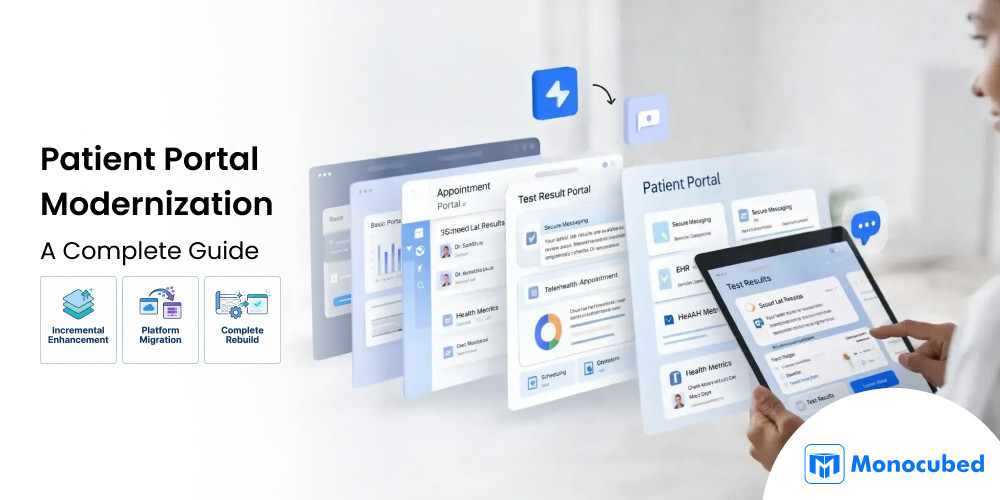
Patient portal modernization helps healthcare providers upgrade legacy systems into integrated, patient-centric platforms that improve accessibility, streamline workflows, and strengthen HIPAA-compliant security.
At Monocubed, our patient portal development services help healthcare organizations modernize portals through UX improvements, EHR integrations, telehealth enablement, and scalable cloud-based architectures.
In this guide, you’ll learn:
- Signs your patient portal needs modernization
- Proven modernization approaches
- Step-by-step implementation process
- Key challenges and solutions
- Real-world healthcare modernization insights
By the end, you’ll have a clear roadmap to transform outdated portals into secure, scalable platforms that improve patient engagement and operational efficiency.
6 Warning Signs Your Patient Portal Needs Modernization
Before investing in a modernization initiative, it helps to identify whether your current web portal is actually holding your organization back. Not every portal needs a full overhaul, but if you recognize two or more of the following warning signs, it’s time to act.
1. Low adoption and engagement rates
Patients sign up but don’t come back. If your portal analytics show declining logins, minimal appointment bookings, or low message volume, the portal isn’t delivering enough value to keep users engaged.
2. Poor mobile experience
Over 57% of patients access health information on their phones as per NIH. If your portal isn’t responsive or worse, requires pinch-and-zoom on mobile, you’re losing users at the door.
3. Integration gaps
Your portal can’t connect with your EHR, lab systems, or newer clinical tools. Staff end up manually duplicating data between systems, which wastes time and introduces errors. A modern healthcare web application should integrate seamlessly with your existing clinical infrastructure.
4. Security and compliance risks
Outdated encryption protocols, weak authentication (still using password-only login?), and gaps in HIPAA compliance put your organization at risk of data breaches and regulatory penalties.
5. Missing features patients expect
Telehealth, prescription refills, digital check-in, online bill pay if patients are requesting capabilities your portal doesn’t support, you’re falling behind competitors who already offer them.
6. High maintenance costs
Legacy infrastructure that requires constant patching, specialized vendor support, or dedicated staff just to keep running is a financial drain with diminishing returns.
If any of these resonate with your current situation, the next step is understanding what modernization can actually deliver for your organization.
Key Benefits of Patient Portal Modernization for Healthcare Organizations
Recognizing the problem is one thing — understanding the return on investment is what drives the decision forward. Patient portal modernization isn’t just a technical upgrade. When done right, it delivers measurable impact across operations, revenue, and patient outcomes.
For Patients:
- 24/7 access to health records, lab results, and care plans
- Self-service scheduling, prescription refills, and bill payments
- Secure messaging with care teams instead of phone tag
- Telehealth access integrated directly into the portal
For Healthcare Organizations:
- Reduced administrative burden through automation (appointment reminders, intake forms, billing)
- Better care coordination across departments and providers
- Stronger data analytics for population health management
- Improved compliance posture with modern security controls
- Higher patient satisfaction scores, which increasingly affect reimbursement
For Clinicians:
- Less time spent on repetitive administrative tasks
- Better-prepared patients (completed intake forms, updated medication lists before visits)
- Real-time access to patient-reported data from remote monitoring tools
While these benefits are significant, healthcare organizations often vary in their starting point. Some portals require targeted usability improvements, while others face infrastructure limitations or integration challenges.
The benefits are clear, but realizing them depends on choosing the right modernization approach for your web portal’s current state. Let’s look at the three main paths forward.
3 Proven Approaches to Modernize Your Patient Portal
There isn’t a one-size-fits-all path to modernization. The right approach depends on your current portal’s architecture, your budget, and the extent of the gaps you need to close. Here’s how the three primary strategies compare:
Approach 1: Incremental enhancement
Best suited for: Patient portals built on stable, scalable architectures that primarily require usability improvements, feature expansion, or performance optimization.
In this approach, healthcare organizations retain their existing portal infrastructure while introducing targeted enhancements that improve patient and provider experiences.
Common upgrades include:
- Implementing mobile-responsive interfaces
- Integrating telehealth capabilities
- Modernizing patient dashboards
- Strengthening authentication with biometric or multi-factor login
- Improving workflow automation
Incremental enhancement allows organizations to quickly improve engagement and functionality without disrupting existing clinical workflows or requiring large-scale system replacement. It is typically the most cost-effective and least disruptive modernization strategy when the underlying platform remains technically sound.
Approach 2: Platform migration
Best suited for: Patient portals running on outdated or inflexible technology stacks that limit scalability, performance, or integration capabilities.
Platform migration involves transitioning the portal to a modern technology foundation while preserving core functionality, patient data, and operational workflows. Healthcare organizations often adopt cloud-native hosting environments, microservices-based architectures, and FHIR-compliant APIs to support interoperability and long-term scalability.
This approach addresses technical debt while enabling the portal to support advanced integrations, improved security frameworks, and performance improvements. Although migration requires more planning and testing than incremental enhancement, it provides a sustainable path for organizations planning to expand digital health services.
Approach 3: Complete rebuild
Best suited for: Portals with outdated architecture, limited interoperability, weak security frameworks, or user experiences that no longer meet modern healthcare expectations.
A complete rebuild involves designing and developing a new patient portal from the ground up using modern frameworks, scalable cloud infrastructure, and interoperability standards such as HL7 FHIR. This strategy allows healthcare organizations to eliminate legacy limitations, redesign patient and clinician workflows, and implement advanced engagement capabilities.
While a rebuild requires the highest investment and development timeline, it delivers the strongest long-term flexibility, security, and scalability. Organizations pursuing large-scale digital transformation initiatives or launching new patient engagement ecosystems often benefit most from this approach.
If you’re considering to create a web portal for your patients from scratch , you must learn about the complete development lifecycle from architecture planning to deployment.
Want to Know Which Approach Fits Your Need?
Let our experts help you with finding the right patient portal modernization strategy based on your business and patient requirements.
Whichever approach you choose, the execution process follows a similar structure. Here’s what that looks like in practice.
How to Modernize a Patient Portal: 10-Step Implementation Process
A successful modernization project follows a structured, phased process — regardless of whether you’re making incremental updates or doing a complete rebuild. These ten steps ensure that nothing critical gets missed along the way.
Step 1: Assess your current portal
Before deciding what to build, you need an honest picture of what you already have. Conduct a thorough audit of your existing system and how people actually use it.
Key activities to do:
- Pull portal analytics to see login frequency, feature usage patterns, and drop-off points.
- Review patient support tickets and staff complaints to identify recurring friction.
- Evaluate your current architecture for technical debt, outdated dependencies, and security gaps.
- Document integration points with your EHR, billing systems, and lab platforms, noting where data flows smoothly and where manual workarounds exist.
This assessment becomes the foundation every subsequent decision builds on.
Step 2: Define measurable goals
Every organization that starts without clear targets ends up with scope creep and a portal that tries to do everything but does nothing well. Set specific, quantifiable goals tied to real business outcomes.
For example:
- Increase patient portal adoption from 25% to 60% within 12 months
- Reduce appointment no-shows by 30% through automated reminders and self-service rescheduling
- Cut front-desk call volume by 40% by moving appointment booking
- Prescription refills online, or eliminate manual data entry for patient intake forms entirely
These targets give your development partner clear success criteria and help you prioritize features when budget forces trade-offs.
Step 3: Gather stakeholder requirements
Talk to everyone who touches the portal and do it before a single wireframe gets drawn.
- Patients will tell you what frustrates them about the current experience (confusing navigation, missing mobile support, inability to message their doctor).
- Front-desk staff will reveal the manual workarounds they perform daily because the portal doesn’t integrate properly.
- Clinicians will flag the data gaps that force them to ask patients questions the portal should have already captured.
- IT teams will surface the integration headaches and maintenance burdens that aren’t visible to end users.
- Compliance officers will identify regulatory requirements that must be baked into the architecture, not bolted on later.
Capturing all of these perspectives early prevents costly rework, redesigning a feature after development is 5-10x more expensive than getting it right during requirements gathering.
Step 4: Select a development partner
Look for a healthcare development team with domain expertise, HIPAA compliance experience, and a proven track record of EHR integrations.
Ask specifically:
- How many HIPAA-compliant healthcare platforms have you built?
- Which EHR systems have you integrated with (Epic, Cerner, Allscripts, athenahealth)?
- Can you show us a compliance audit you’ve passed?
- What’s your approach to handling PHI during development and testing?
Request references from healthcare clients and actually call them. A web portal development partner who has navigated healthcare data migration, dealt with HL7 FHIR interoperability challenges, and built systems that passed security audits will save you months of trial and error.
Step 5: Design the user experience
Healthcare portals serve a uniquely diverse user base — from 25-year-olds who expect app-like interfaces to 75-year-olds managing multiple chronic conditions who may struggle with complex navigation.
Build interactive prototypes and test them with real patients across age groups, technical abilities, and health literacy levels before writing production code. Focus on reducing cognitive load: every additional click, every confusing label, every unnecessary form field is a barrier to adoption.
Design for accessibility from the start (WCAG 2.1 AA compliance), not as an afterthought. Pay special attention to mobile experience. If the portal doesn’t work seamlessly on a smartphone, you’ve already lost the majority of your patient base.
Step 6: Plan secure and smooth data migration
This is the step where more modernization projects fail than any other. Moving patient records, appointment histories, billing data, and clinical documents from a legacy system to a new platform involves far more complexity than a straightforward database transfer.
- Map data carefully: Align every field from the old system to the new schema.
- Clean data beforehand: Identify duplicates, inconsistencies, and incomplete fields; fix them before migration.
- Validate after transfer: Set up pipelines to verify record integrity.
- Handle edge cases: Consider multi-system patients, archived data in old formats, and externally stored attachments.
- Test migrations: Run multiple trial migrations on real data subsets before the full cutover.
- Prepare rollback plans: Ensure you can revert changes without losing data or disrupting patient care.
Step 7: Develop in phases
Attempting to launch every feature at once is the fastest path to missed deadlines, blown budgets, and a portal that’s unstable on day one.
Instead, structure development into deliberate phases.
- Phase 1 – essentials: Focus on the features patients use most: secure login with multi-factor authentication, access to health records, appointment scheduling, and secure messaging. Stabilize the foundation, gather user feedback, and fix usability issues before moving forward.
- Phase 2 – convenience: Add features that enhance engagement and ease of use, including telehealth video consultations, prescription refill management, digital intake forms, and online bill pay.
- Phase 3 – advanced: Introduce personalized and differentiating functionality, such as remote patient monitoring integration, AI-powered health assistants, personalized health content, and caregiver access management.
Each phase should have its own testing cycle, pilot deployment, and feedback loop.
Step 8: Test Comprehensively
Healthcare software failures can compromise patient safety and expose your organization to regulatory penalties. A thorough testing strategy should cover every dimension:
- Functional testing: Verify that all features work as intended.
- Security testing: Include penetration tests and vulnerability scans to uncover exploitable weaknesses.
- Load testing: Ensure the portal performs reliably under peak traffic, such as Monday morning appointment rushes or flu season surges.
- Accessibility testing: Check compliance with WCAG 2.1 standards to ensure all patients can use the portal.
- HIPAA compliance validation: Confirm proper data encryption, access controls, audit logging, and session management.
Test using real patient workflows, not just ideal “happy-path” scenarios. Include edge cases like expired sessions, concurrent logins, and failed payment transactions. Document all results meticulously to maintain a solid compliance record and support patient safety.
Step 9: Launch Strategically
Avoid a big-bang launch — switching all patients and staff to the new portal at once introduces unnecessary risk.
Instead, start with a controlled pilot: choose one clinic or a representative subset of patients, covering a mix of demographics and technical abilities. Roll out the modernized portal to this group first, and monitor adoption closely during the first two weeks.
Track key metrics such as error rates, support ticket volume, and task completion rates to catch and resolve issues early.
Front-desk staff are crucial as the first line of support. Train them thoroughly, as their confidence with the system directly influences patient adoption and satisfaction.
For patients, provide clear onboarding resources, including a short 60-second video walkthrough, a simple FAQ, and in-portal tooltips for first-time users.
Additionally, maintain a dedicated support team for the first 30 days to respond quickly to issues and prevent frustration from turning into abandonment.
Step 10: Measure and Iterate
Track adoption rates, feature usage, patient satisfaction, and operational metrics post-launch. Use this data to prioritize improvements and validate that your modernization goals are being met.
With the patient portal development process defined, the next question is: what exactly should your modernized portal include? Let’s break down the features that matter most.
10+ Must-Have Features Every Modernized Patient Portal Needs
Feature selection can make or break your modernization effort. Including too little leaves patients underwhelmed; overbuilding adds cost without proportional value. For a deeper look at what makes portals effective, see our guide on features of web portals. Here’s a practical breakdown of what to prioritize for patient-facing platforms specifically.
Core features (must-have):
| Features | What It Does | Why It Matters in Modern Portals |
|---|---|---|
| Responsive mobile design | Ensures the portal adapts seamlessly across smartphones, tablets, and desktops | Most patients access health information on mobile devices; poor mobile UX is a major driver of low adoption |
| Biometric & multi-factor authentication (MFA) | Adds secure login options such as fingerprint, face ID, or one-time codes | Strengthens HIPAA security while reducing friction compared to password-only login |
| Real-time EHR data synchronization | Keeps patient data consistent across the portal and EHR systems | Prevents duplicate data entry, reduces errors, and ensures clinicians and patients see the same information |
| Smart appointment scheduling & reminders | Allows patients to book, reschedule, or cancel appointments with automated reminders | Reduces no-shows, lowers front-desk call volume, and improves access to care |
| Secure messaging & video consultations | Enables encrypted communication and telehealth visits within the portal | Improves access to care while meeting privacy and compliance requirements |
| Digital intake forms & e-consent | Collects patient information and consent electronically before visits | Saves staff time, reduces paperwork, and improves data accuracy |
| Medication management & refill requests | Allows patients to view medications and request refills online | Improves adherence and reduces manual prescription processing |
| Integrated bill pay & insurance verification | Enables patients to view balances, verify insurance, and pay bills online | Improves revenue cycle efficiency and reduces billing-related inquiries |
Differentiating features (competitive advantage)
| Feature | What It Does | How It Adds Competitive Value |
|---|---|---|
| Remote patient monitoring dashboard | Displays real-time data from connected devices for chronic care | Enables proactive care management and supports value-based care models |
| AI-powered health assistants & symptom checkers | Provides automated guidance and triage based on patient inputs | Improves engagement while reducing unnecessary staff workload |
| Personalized health content & education | Delivers tailored resources based on conditions or care plans | Increases patient understanding and long-term engagement |
| Family & caregiver access management | Allows authorized caregivers to access patient information | Improves care coordination for elderly and chronic-care patients |
| Care plan tracking with visual indicators | Shows progress toward goals using charts and milestones | Encourages adherence and makes care plans easier to understand |
Getting the features right is only half the equation. The technology stack behind them determines whether your portal can scale, integrate, and stay secure over time.
Best Technology Stack for Patient Portal Modernization
The technology decisions you make during modernization will determine your portal’s scalability, maintainability, and longevity. Choosing the wrong stack now means another costly migration in a few years.
- Cloud infrastructure: Use HIPAA-compliant cloud platforms (AWS GovCloud, Azure Healthcare APIs) for automatic scaling, high availability, and built-in disaster recovery.
- Microservices architecture: Build loosely coupled services so you can update scheduling without breaking messaging, or add telehealth without redeploying the entire application.
- HL7 FHIR APIs: The interoperability standard for modern healthcare. Non-negotiable if you want your portal to communicate with EHRs, labs, pharmacies, and insurance systems without custom point-to-point integrations.
- Progressive Web Apps (PWAs): Deliver app-like experiences across devices without requiring patients to download anything from app stores, reducing friction and increasing adoption. Monocubed offers dedicated progressive web app development services for healthcare organizations pursuing this approach.
Of course, no technology decision matters if the portal isn’t secure. Security and compliance deserve their own focused attention.
HIPAA Security and Compliance Requirements for Patient Portals
Healthcare data breaches averaged $10.93 million per incident in recent years — the highest cost of any industry. For a modernized patient portal handling sensitive PHI (Protected Health Information), security isn’t a feature — it’s a foundation.
Your modernized portal must address the following:
For patient portals specifically, prioritize these following security best practices:
- Zero-trust architecture — verify every request, regardless of source or network
- AES-256 encryption at rest with TLS 1.3 for data in transit
- Adaptive authentication — step-up verification for sensitive actions like accessing records or making payments
- Continuous monitoring and real-time anomaly detection
- Regular penetration testing and vulnerability assessments
- HIPAA technical safeguards — role-based access controls, comprehensive audit logs, automatic session timeouts
- 21st Century Cures Act compliance — ensuring patient data access rights and preventing information blocking
- State-specific privacy laws that may impose additional requirements beyond federal regulations
Even with the right technology and security in place, modernization projects face practical challenges during implementation. Understanding these upfront helps you plan around them.
Common Patient Portal Modernization Challenges and How to Overcome Them
Every patient portal modernization project encounters obstacles. The difference between success and failure often comes down to anticipating these challenges and having mitigation strategies ready before they surface.
Challenge 1: Data migration complexity
Challenge:
Patient portals contain years of sensitive data, including medical records, appointment histories, billing information, and clinical documents. Legacy systems often store this data in inconsistent formats, with missing fields, duplicates, or outdated schemas. Migrating this data into a modern platform introduces risks such as data corruption, duplication, or incomplete patient records.
Solution:
Successful modernization projects treat data migration as a dedicated phase—not an afterthought. This includes detailed data mapping, cleansing legacy data before migration, and validating records at every stage. Running parallel systems during the transition and conducting multiple test migrations using real-world data subsets ensures accuracy and continuity, allowing healthcare teams to confirm data integrity before full cutover without disrupting patient care.
Challenge 2: User adoption resistance
Challenge:
Even when a new portal offers better features, staff and patients may resist change. Front-desk teams may worry about workflow disruptions, clinicians may be skeptical of new interfaces, and patients—especially older or less tech-savvy users—may struggle to navigate unfamiliar systems. Without proper adoption planning, modernization efforts can result in low engagement despite improved functionality.
Solution:
Adoption improves when users are involved early. Gathering feedback from patients, clinicians, and administrative staff during design helps ensure the portal aligns with real-world workflows. Interactive onboarding, guided walkthroughs, short training videos, and in-portal tips reduce friction for first-time users.Our healthcare website design services provide comprehensive training, interactive walkthroughs, and onboarding materials, and clearly communicate the benefits of the new portal to encourage adoption.
Challenge 3: Legacy system integration
Challenge:
Many healthcare organizations rely on older EHRs or clinical systems that lack modern APIs or standardized data access. Integrating these systems with a modern patient portal can be complex, often requiring custom connectors and careful synchronization to prevent data inconsistencies or workflow disruptions.
Solution:
Modernization teams address this by using middleware, integration engines, and interoperability standards such as HL7 FHIR wherever possible. When APIs are limited, custom adapters and controlled data exchange mechanisms enable seamless connectivity between the portal and legacy systems. This approach allows organizations to modernize the patient-facing experience without replacing core clinical systems prematurely. Monocubed can help you with patient portal integration and seamlessly integrate the systems you need for improving patient-facing platforms.
Challenge 4: Budget and timeline overruns
Challenge:
Patient portal modernization projects often uncover hidden technical debt—outdated dependencies, undocumented workflows, or unexpected compliance gaps. Without clear scope control, these surprises can lead to budget overruns and delayed timelines.
Solution:
A phased delivery approach helps control cost and risk. Starting with a clearly defined Minimum Viable Product (MVP) allows organizations to modernize essential functionality first, validate performance, and gather user feedback before expanding features. Building contingency buffers into the project plan ensures unexpected challenges can be addressed without derailing the overall timeline or budget.
Challenge 5: Maintaining operational continuity
Challenge:
Patient portals support critical functions such as appointment scheduling, messaging, and access to medical records. Any downtime during modernization can disrupt care delivery, increase call volumes, and negatively impact patient trust.
Solution:
Operational continuity is maintained through stage-wise rollouts and carefully scheduled transitions. Running parallel environments, migrating features incrementally, and scheduling cutovers during low-usage periods help ensure uninterrupted access. Clear rollback plans further protect patient allow organizations to respond quickly if issues arise during deployment
Knowing the challenges is valuable but seeing how an experienced team navigates them in practice is even more useful. Here’s how Monocubed approaches healthcare platform development.
Case Study: How Monocubed Delivered a HIPAA-Compliant Healthcare Platform
Theory is useful, but real-world execution is what separates successful modernization from stalled projects. While Monocubed’s specific patient portal modernization engagements are covered under client NDAs, their publicly available healthcare work demonstrates the methodology, technical depth, and compliance rigor they bring to every project.
Project: Telasight — Optometry Consulting Platform
The Problem:
An optometry practice needed a digital platform to enable remote consultations between doctors and patients. Their existing process relied heavily on in-person visits and phone-based communication — limiting accessibility, creating scheduling bottlenecks, and reducing the practice’s ability to scale.
Monocubed’s Approach:
- Built a custom telemedicine platform using PHP, Yii framework, and MySQL
- Implemented one-to-one chat and video call functionality for real-time doctor-patient consultations
- Developed live group session capabilities for collaborative clinical discussions
- Ensured all communications were encrypted and compliant with healthcare data regulations
- Designed for multi-platform accessibility so both patients and providers could access the system from any device
The Result:
The platform significantly improved doctor-patient communication and consultation efficiency, enabling the practice to serve patients remotely while maintaining full compliance standards. The project demonstrated Monocubed’s ability to deliver healthcare solutions that balance clinical requirements with modern user experience expectations.
Monocubed’s Healthcare Development Capabilities
Beyond Telasight, Monocubed offers a full suite of healthcare web development services directly relevant to patient portal modernization:
- HIPAA-compliant portal development with role-based access controls
- EHR integration and real-time data synchronization
- Telemedicine features including video consultations and secure messaging
- Medical image analysis using machine learning
- Healthcare analytics dashboards for operational decision-making
- 90-day post-deployment support including bug fixes, performance tuning, and feature iteration
Their technology stack — React, Laravel, Ruby on Rails, Django, Python, and cloud deployment on AWS — aligns with the modern infrastructure requirements outlined throughout this guide.
They’ve also delivered MedCall, a custom telehealth platform, further demonstrating their depth in healthcare web development.
Whether you work with Monocubed or another patient portal development company, knowing what to look for in a development team is critical to your project’s success.
Let Monocubed Help With Patient Portal Modernization
Modernizing your patient portal is essential for healthcare organizations that want to remain competitive, compliant, and truly patient-centered. Legacy portals built five or ten years ago were not designed for today’s needs, including telehealth, mobile-first access, and modern interoperability standards like FHIR.
The path forward is structured and proven. Begin by assessing your current portal, defining clear goals, and choosing the right approach — whether incremental enhancement, platform migration, or a full rebuild. Execute in disciplined phases with Monocubed, a healthcare web app development partner with extensive experience in patient portal development.
Organizations that modernize now with Monocubed achieve measurable gains in patient engagement, operational efficiency, and care quality. Waiting risks higher costs, from ongoing maintenance and compliance remediation to falling behind competitors who modernized first.
Take action today. Partner with Monocubed and modernize your portal to align with your organization’s strategic goals.
Want to Modernize Your Patient-Portal and Improve User Experience?
Get a customized roadmap showing exactly how to upgrade your patient portal for improved engagement, efficiency, and compliance.
Frequently Asked Questions About Patient Portal Modernization
-
What is patient portal modernization?
Patient portal modernization is the process of upgrading an existing patient portal to meet current healthcare technology, security, and user experience standards. It can range from adding new features to an existing platform all the way to a complete rebuild — depending on how outdated the current system is.
-
How do I know if my patient portal needs modernization?
Look for these indicators: low patient adoption or declining engagement, poor mobile experience, inability to integrate with your EHR or lab systems, outdated security protocols, missing features like telehealth or online bill pay, and rising maintenance costs. If two or more of these apply, modernization should be a priority.
-
How long does patient portal modernization take?
It depends on the approach. Incremental enhancements typically take 3–6 months. Platform migrations run 6–12 months. A complete rebuild can take 9–18 months or longer for enterprise health systems. Phased rollouts help deliver value earlier even in longer projects.
-
How much does it cost to modernize a patient portal?
Costs vary based on scope and approach. Incremental enhancements range from $50,000–$150,000, platform migrations from $150,000–$300,000, and complete rebuilds from $250,000–$500,000+. Key cost drivers include your current platform’s condition, integration complexity, feature scope, and your development partner’s location.
-
Should I modernize my existing portal or build a new one from scratch?
If your portal’s underlying architecture is sound and primarily needs feature updates or a better UI, incremental modernization is more cost-effective. If the architecture is fundamentally outdated — poor security model, no API layer, monolithic codebase that resists change — a rebuild will save you money in the long run compared to continuously patching a broken foundation.
-
How do I ensure HIPAA compliance during modernization?
Work with a development partner experienced in healthcare compliance. Key requirements include AES-256 encryption, role-based access controls, comprehensive audit logging, automatic session timeouts, secure data transmission via TLS 1.3, and regular penetration testing. Maintain detailed documentation of all security controls and conduct compliance audits before and after launch.

 All our projects are secured by NDA



