
 By Yuvrajsinh Vaghela
Contents
Your support team answered the same password reset question for the fifteenth time today. Three customers are on hold waiting to check order status—information sitting right in your database. Meanwhile, your inbox overflows with billing inquiries that could be resolved in seconds if customers could just see their own invoices.
This reactive support model is draining resources across industries.
According to a Gartner survey, 60% of customer service agents fail to promote self-service, even though highlighting these options can double customer adoption. Every high-cost support interaction you handle is a missed opportunity.
Empower your customers and reduce costs with a self-service, customer portal development. A customer web portal transforms support from a cost center into a competitive advantage.
Our web portal development services helped business building complex platforms that handle secure transactions, real-time data, and multi-system integrations. With 6+ years of experience and 200+ successful projects, including platforms like InvoiceOwl (customer billing portal), we understand what separates customer portal development success from failure.
Here is what this guide covers:
- What is a customer portal and why businesses need them
- Types of customer portals for different business needs
- Essential customer portal features you need
- How to plan your customer portal development project
- Best technology stack for customer portal development
- Customer portal design best practices
- Step-by-step customer portal development process
- How to launch your customer portal successfully
Let us start with understanding what a customer portal actually is.
What Is a Customer Portal?
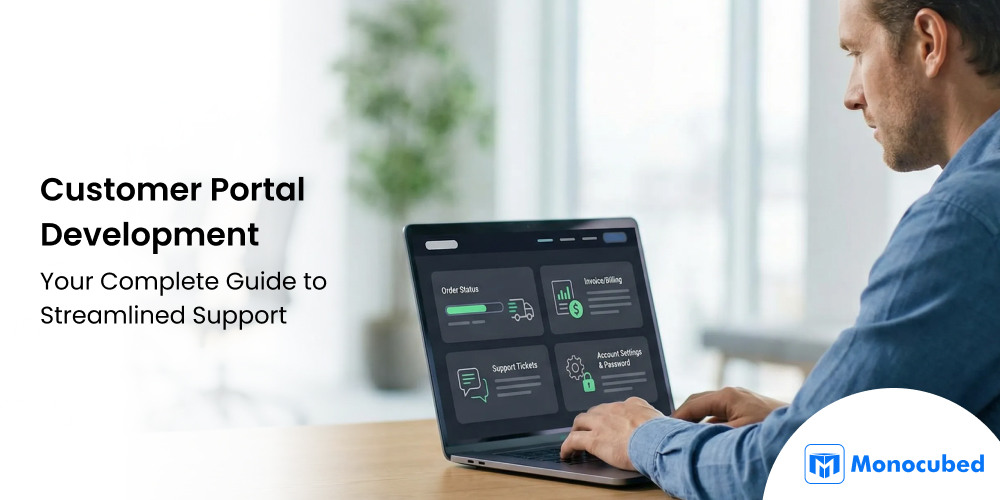
A customer portal is a secure, web-based platform that allows customers to manage their accounts, access support resources, and handle business transactions independently. Unlike public websites, portals are gated, authenticated environments where users can:
- Check order status
- Update billing information
- Submit support tickets
- Access knowledge bases
Why Your Business Needs a Customer Portal: 4 Key Reasons
The practical reasons for investing in customer web portal development depend on your specific challenges. Here are the key drivers that make web portal development essential for sustainable growth.
1. Improve customer engagement
Customer engagement happens when users actively interact with your brand. A customer portal creates a dedicated space for these interactions—reviewing account status, exploring features, accessing exclusive content, and participating in loyalty programs.
Customer portals also enable proactive engagement. You can surface relevant information based on customer activity like personalized tutorials, upgrade offers, or renewal reminders, demonstrating attention and care.
2. Enable 24/7 self-service
Customers no longer accept “business hours” as a limitation. When someone discovers a billing error at 9 PM or needs to track a shipment on Sunday, they expect immediate access.
Self-service portal capabilities typically include account management, order tracking, billing access, support resources, ticket submission, and document downloads. When available 24/7, customers resolve most issues independently—particularly valuable for businesses with global customers across time zones.
3. Simplify communication and transactions
Fragmented communication frustrates everyone. When customers email one department, call another, and log into separate systems for different tasks, the experience feels disjointed.
Customer portals consolidate everything into a single interface. Support conversations, billing inquiries, and notifications exist in the same environment with full history visible.
4. Centralize customer information
Data silos obstruct excellent customer experiences. When information scatters across CRM, support platforms, billing software, and spreadsheets, nobody has the complete picture.
A customer portal unifies this data. Customers see a coherent view of their relationship; your teams operate from the same foundation. This centralization enables personalization, consistency, accuracy, compliance, and comprehensive analytics.
With the “why” established, the next step is understanding what type of customer portal fits your business model.
4 Types of Customer Portals for Different Business Needs
Different business models require different portal configurations. Understanding the types of customer portal helps you identify the right approach for your customer portal development project.
1. Support portals – ticketing, FAQs, knowledge base
Support portals focus on helping customers resolve issues. Core components include ticketing systems for submitting and tracking requests, knowledge bases with searchable documentation, and FAQs for quick answers.
These customer portals often integrate with internal helpdesk systems and may include community forums where customers help each other. Support portal development is ideal for businesses with complex products or frequent support inquiries.
2. Account management portals – billing, subscriptions, order tracking
Account management portals center on commercial relationships. Key features include billing management (invoices, statements, payment methods), subscription management (upgrades, downgrades, cancellations), order tracking with real-time status, and profile management.
For subscription businesses and e-commerce operations, account management portal development is typically the primary customer-facing priority.
3. Community portals – forums, discussions, peer support
Community portals connect customers with each other through discussion forums, peer support channels, user groups, and ideation platforms. They work best as complements to other portal types rather than standalone solutions.
4. E-commerce customer portals – orders, product management, loyalty programs
E-commerce customer portals support the buying journey with order management, product catalogs, loyalty programs, and personalized recommendations. They integrate deeply with inventory, fulfillment, and payment systems during the ecommerce portal development.
Not Sure Which Customer Portal is Right for Your Business?
Get the expert guidance from Monocubed and find the perfect fit that align with your business goals, needs, and meet customer expectations.
Many organizations combine elements from multiple portal types in their customer portal development. The key is understanding your primary use cases. Now let’s examine which features your customer portal needs.
9 Key Features Every Customer Portal Must Have
Certain features are fundamental to successful customer portal development regardless of portal type. Here are the essential features every effective web portal for customer support should include.
1. Secure login and role-based access
Security is the foundation of any customer portal. Customers entrust your platform with personal and financial data, and a breach can damage trust and your brand reputation.
Key security measures include:
- Multi-Factor Authentication (MFA) to prevent unauthorized access
- Single Sign-On (SSO) integration for seamless and secure login
- Session management with automatic timeouts to protect idle accounts
- Strong password policies to enforce secure credentials
- Encryption for data both in transit and at rest
Role-Based Access Control (RBAC) ensures each user sees only what they are authorized to access. This is especially important for B2B portals, where multiple users from the same organization may need different access levels
| Role | Capabilities |
|---|---|
| Administrator | Full access, including user management and billing |
| Manager | Team oversight and reporting |
| Standard User | Core features and personal account management |
| Viewer | Read-only access |
Implementing strong security and RBAC protects sensitive information while enabling a tailored user experience for each role.
2. Personalized dashboard
The dashboard is the customer’s home base. A well-designed portal dashboard immediately surfaces relevant information like status overviews, quick actions, notifications, key metrics, and personalized content.
Personalization is key. Tailored dashboards turn generic interfaces into meaningful experiences:
- Customers tracking orders see shipping status front and center.
- Users relying on support resources see recent tickets, suggested articles, and alerts.
- Metrics and shortcuts adapt to each user’s priorities, helping them complete tasks faster.
An intuitive, personalized dashboard not only improves usability but also drives engagement and satisfaction.
3. Ticketing and support system
Even with comprehensive self-service, customers sometimes need direct support. Integrated ticketing in your customer portal should include easy submission with file attachments, categorization for routing, status tracking, communication history, SLA management, and escalation paths.
Transparent, responsive ticketing builds confidence that issues will be resolved.
4. Knowledge base and FAQs
Self-service content is the workhorse of customer portals. A well-organized knowledge base with smart search, rich media, and feedback loops deflects tickets while empowering customers.
Organize content around how customers think about problems, not your internal structure. Track analytics to understand which articles are most viewed and which searches return no results.
FAQs provide quick answers to common questions. Keep them concise and regularly updated based on actual inquiries.
5. Chat and live support integration
Chat bridges the gap between self-service and traditional support in your customer portal. Options include AI chatbots for routine inquiries (available 24/7), live chat for complex issues, and hybrid approaches that start with bots and escalate to humans when needed.
6. Document management and downloads
Many customer relationships involve document exchange. A document center in your customer portal provides secure storage, organization with folders and tags, version control, multiple download formats, digital signatures, and expiration tracking.
7. Notifications and alerts
Proactive communication keeps customers informed. Customer portal notification capabilities should include in-app alerts, email notifications, SMS for urgent matters, preference management, and digest options.
8. Mobile-friendly portal design
Customers expect full functionality on any device. Mobile-friendly customer portal design encompasses responsive layouts, touch optimization, performance optimization, progressive web app (PWA) capabilities, and native apps where needed.
9. Customer portal security measures
Beyond authentication, customer portal development requires application security (XSS/CSRF protection), data protection (encryption, access controls), infrastructure security (firewalls, intrusion detection), compliance (GDPR, HIPAA, PCI-DSS), and monitoring with incident response procedures.
With features defined, the next phase is planning your customer portal development project.
How to Plan Your Customer Portal Development Project
Successful customer portal development begins with thorough planning. Rushing without direction leads to wasted resources and portals that don’t meet actual needs.
1. Know your users and their needs
Start with customer interviews to gather qualitative insights about pain points and priorities. Complement with surveys for quantitative data on usage patterns.
Analyze support tickets to identify common inquiries that could be self-served. Review usage analytics to understand current digital behavior. Examine competitor portals to identify differentiation opportunities.
From this research, develop user personas with demographics, goals, challenges, technology comfort, and channel preferences. These guide design decisions throughout your customer portal development.
2. Set goals and KPIs for your portal
Clear goals enable measurement of your customer portal development success. Common portal goals include:
| Goal | Sample KPIs |
|---|---|
| Reduce support costs | Ticket volume, cost per interaction |
| Improve satisfaction | CSAT scores, NPS |
| Increase engagement | Login frequency, feature adoption |
| Enable scalability | Support ratio, automation rate |
3. Integrate with existing systems
Customer portals must connect with your technology ecosystem. Common integrations include CRM (Salesforce, HubSpot), ERP (SAP, Oracle), support platforms (Zendesk, ServiceNow), billing systems (Stripe, Chargebee), and analytics tools.
Document integration requirements early in your customer portal development. Discovering integration gaps mid-project causes significant delays.
4. Map user journeys and workflows
Journey mapping visualizes how customers interact across scenarios. For each use case, document entry points, steps, information needs, pain points, and success criteria.
Cover primary scenarios: onboarding, support requests, billing updates, order tracking, and document access. Workflow diagrams ensure technical requirements align with user expectations.
Need Help Planning Your Customer Portal Development?
Our team has helped 200+ clients plan and execute successful portal projects. We’ll analyze your requirements and recommend the optimal approach.
Now you’ve planned the project, let’s learn about the development process of a customer portal — step by step.
How to Create a Customer Portal: A Step-by-Step Development Process
Developing a customer portal is a strategic project that goes beyond coding a dashboard. A well-built portal reduces support load, empowers customers, and delivers measurable business value. After planning your web portal, follow these web portal development steps to turn strategy into a functional, secure, and user-friendly platform.
Step 1: Design and prototyping
Purpose: This step transforms research and planning into tangible designs that define the user experience. Without good design, even a technically perfect portal can fail due to poor usability.
What to do:
- Create wireframes and mockups for dashboards, account pages, support workflows, and billing views.
- Build interactive prototypes to test flows with real users and gather feedback.
- Define personalization features: role-based views, recommended content, and adaptive dashboards.
- Ensure accessibility (WCAG 2.1) and mobile-first design principles are applied.
Once the design is validated, it guides the technology selection and development phase, ensuring developers build the portal to meet real user needs.
Step 2: Technology stack selection
The technology stack defines how the portal will function, scale, and integrate with other systems. Choosing the right stack early prevents costly refactors later.
| Layer | Options | Why It Matters |
|---|---|---|
| Frontend | React, Angular, Vue.js | Determines flexibility, UI responsiveness, and speed of development |
| Backend | Node.js, Django, Laravel | Manages business logic, APIs, and integrations efficiently |
| Database | MySQL, PostgreSQL, MongoDB | Supports structured or flexible data storage depending on portal needs |
| APIs & Integrations | REST, GraphQL, Stripe, Twilio, Auth0 | Enables connectivity with internal and external systems |
| Hosting | Cloud (AWS, Azure, GCP), On-Prem, Hybrid | Influences scalability, reliability, compliance, and uptime |
After confirming the stack, you move into web portal development, where designs are implemented using the chosen technologies.
Step 3: Core development ( front-end + backend)
This step turns designs and technical plans into a working portal. Development is where functionality meets security and user experience.
What to do:
- Frontend: Build responsive UI components, dashboards, notifications, and quick actions. Integrate APIs for real-time data.
- Backend: Implement database schemas, business logic, authentication, RBAC, and system integrations. Ensure encryption and security best practices.
- Agile approach: Use short sprints to deliver incremental features, review progress, and gather feedback.
- Conduct code reviews and maintain thorough documentation for APIs, workflows, and security measures.
With development complete, proceed to testing and quality assurance to ensure the portal is reliable, secure, and user-friendly.
Step 4: Testing and quality assurance
Testing validates that the portal functions correctly, is secure, and meets user expectations. It prevents issues that could erode trust after launch.
What to do:
- Unit tests: Verify individual functions and components.
- Integration tests: Confirm APIs and modules work together seamlessly.
- End-to-end tests: Simulate real user workflows from login to ticket submission.
- Performance tests: Ensure responsiveness under load.
- Security tests: Check for vulnerabilities, enforce RBAC, and validate authentication flows.
- User Acceptance Testing (UAT): Validate that real users can accomplish their tasks efficiently.
Once testing is complete, you are ready for deployment and launch, ensuring a smooth transition to live users.
Step 5: Customer portal deployment and launch
Launching the customer web portal moves it from a development environment to a live system where customers can start using it. A controlled launch reduces risk and ensures reliability.
What to do:
- Configure hosting, SSL, caching, load balancing, and backup systems.
- Use CI/CD pipelines for automated builds, testing, and deployment.
- Perform data migration from legacy systems, validating accuracy.
- Complete a go-live checklist: functionality, performance, security, staff training, and customer communication.
Post-launch, focus shifts to maintenance, monitoring, and continuous improvement to keep the portal valuable over time.
Step 6: Maintenance and continuous improvement
A customer portal is a living system. Continuous maintenance ensures reliability, adoption, and alignment with evolving customer needs.
What to do:
- Monitor performance: page load times, API responses, server health.
- Track adoption: active users, session duration, feature usage, self-service success rates.
- Collect feedback via surveys, in-app widgets, and support tickets.
- Implement updates: bug fixes, security patches, feature enhancements, and design improvements.
- Conduct regular security and compliance audits.
Use these insights to measure success and ROI, ensuring the portal delivers ongoing value.
Following a structured, step-by-step development process ensures your customer portal is secure, scalable, and user-friendly. But technology and customer expectations evolve quickly, and portals must do the same to remain valuable.
Future of Customer Portal Development: Emerging Trends and Technologies
Customer portal technology continues evolving rapidly. Understanding trends helps you prepare for future enhancements to your customer portal.
1. AI and predictive analytics transforming portals
Artificial intelligence and advanced analytics are redefining what customer portals can do:
- AI chatbots: Handle increasingly complex inquiries using natural language understanding, reducing support load while improving responsiveness.
- Predictive analytics: Anticipate customer needs before they’re expressed, helping deliver proactive solutions.
- Personalization at scale: AI enables dynamically tailored experiences for every user based on behavior, preferences, and context.
- Automated content management: AI can generate and update portal documentation as products and services evolve, keeping content fresh and accurate.
- Sentiment analysis: Gauge customer satisfaction in real-time and trigger proactive interventions to prevent issues.
These capabilities are increasingly accessible via cloud platforms and API-based integrations, allowing businesses of all sizes to leverage advanced intelligence in their portals.
2. Omnichannel experiences for seamless customer journeys
Future customer portals will no longer exist in isolation. Instead, they will act as central hubs connecting multiple channels—web, mobile, email, chat, phone, and social media.
- Conversations can start on one channel (e.g., social media) and continue seamlessly in the portal, preserving context and history.
- Emerging voice interfaces allow customers to complete simple tasks using speech commands, expanding accessibility and convenience.
- Unified omnichannel access ensures consistent experiences, reducing frustration and driving engagement.
3. Long-term strategic benefits of advanced portals
Organizations that invest in next-generation customer portals position themselves for sustained advantage:
- Operational scalability: Handle more customers efficiently without proportionally increasing support staff.
- Data-driven insights: Gather richer behavioral data to improve products, services, and customer experience.
- Customer loyalty: Empowered self-service and personalized experiences strengthen relationships.
- Agility and innovation: Modular, intelligent portals allow faster adaptation to new trends, features, or regulations.
Modern customer portals are strategic assets that drive growth, innovation, and competitive differentiation.
Ready to Future-Proof Your Customer Experience?
Partner with Monocubed for customer portal development that grows with your business. Our team combines technical expertise with strategic thinking to deliver solutions that stand the test of time.
How Much Does it Cost to Develop a Customer Web Portal?
The cost of building a customer portal typically ranges from $15,000 to $150,000+, depending on scope and complexity. The cost of building a customer portal varies widely because no two portals have the same requirements.
The web portal development cost depends on scope, complexity, integrations, security needs, and long-term scalability. A simple self-service portal may cost a fraction of what an enterprise-grade, AI-enabled portal requires.
Below is a realistic breakdown to help you estimate investment and plan budgets accurately.
| Portal Type | Typical Cost Range | What’s Included |
|---|---|---|
| Basic Customer Portal | $15,000 – $30,000 | Secure login, profile management, FAQs, basic ticket submission |
| Mid-Complexity Portal | $30,000 – $70,000 | Dashboards, CRM/billing integrations, RBAC, reporting, notifications |
| Advanced / Enterprise Portal | $70,000 – $150,000+ | AI chatbots, analytics, complex workflows, multi-system integrations, high security |
Key factors that influence customer portal cost
- Features and functionality: More features mean more development work. Advanced capabilities like dashboards, automation, and AI-driven support increase overall cost.
- System integrations: Connecting the portal with existing tools such as CRM, billing, or support systems adds time and complexity.
- Security and compliance: Portals handling sensitive data require stronger security measures like MFA, encryption, audit logs, and regulatory compliance, which increase costs.
- User roles and permissions: Supporting multiple user types with different access levels requires additional logic, testing, and maintenance.
- Design and user experience: Custom design, personalization, accessibility, and mobile optimization improve adoption but also add to development effort and cost.
Start Your Customer Portal Development With Monocubed
Customer portal development is a strategic investment that transforms how businesses engage with their customers. A well-designed portal empowers users with 24/7 self-service, reduces support costs, and generates actionable insights, turning routine interactions into opportunities for efficiency, loyalty, and growth.
At Monocubed, we specialize in building secure, scalable, and user-friendly customer portals tailored to your business needs. With over 200 successful projects across industries, we help organizations:
- Deliver intuitive, mobile-first portals that customers actually use.
- Integrate portals seamlessly with existing systems, from CRM and ERP to billing and support platforms.
- Build future-ready solutions leveraging AI, predictive analytics, and personalization to stay ahead of evolving customer expectations.
- Ensure portals remain secure, compliant, and continuously improved through robust monitoring and updates.
Whether you’re launching your first customer portal or modernizing an existing system, Monocubed guides you through every step—from planning and design to development, launch, and ongoing optimization. Get expert guidance from one of the top web portal development firms and start your project now.
Still Answering the Same Support Questions Every Day?
Build a self-service customer portal with Monocubed and cut support load fast.
FAQs About Customer Portal Development
-
How long does customer portal development take?
Minimum viable customer portals can launch in 3-4 months using Agile practices. Comprehensive customer portal development typically requires 6-9 months, while enterprise implementations may take 12+ months. The timeline includes planning (4-8 weeks), development (8-20 weeks), integration (4-12 weeks), testing (4-8 weeks), and launch preparation (2-4 weeks). Clear requirements upfront prevent scope changes that extend customer portal development timelines.
-
Should we build a custom customer portal or use an off-the-shelf solution?
Off-the-shelf works well when needs align with standard features and you need rapid deployment. Custom customer portal development is preferable for unique workflows, extensive integration requirements, specific compliance needs, or competitive differentiation. Hybrid approaches—customizing existing platforms—often balance speed with flexibility. Consider total cost of ownership including licensing, customization, and maintenance when evaluating customer portal development options.
-
What security measures are essential for customer portal development?
Essential customer portal security includes multi-factor authentication, encrypted data transmission (TLS/SSL), encryption at rest, role-based access control, protection against web vulnerabilities (XSS, CSRF, SQL injection), session management, audit logging, and regular security testing. Regulated industries may require compliance certifications (SOC 2, HIPAA, PCI DSS) and data residency controls for customer portals.
-
How do we measure customer portal development ROI?
Measure customer portal ROI through support ticket deflection (volume reduction × average ticket cost), handling time reduction, and infrastructure savings. Track satisfaction improvements, retention rates, engagement leading to upsells, and operational scalability. Establish baseline measurements before customer portal launch. Well-implemented customer portals typically achieve positive ROI within 12-18 months through support cost reduction alone.
-
What features should a customer portal MVP include?
Customer portal MVP should include secure authentication, basic dashboard, core self-service features (order tracking, billing, subscription management), simple ticketing, essential knowledge base content, and mobile-responsive design. Focus on highest-volume customer needs. Avoid advanced personalization or complex integrations in initial customer portal development. Launch with essentials, gather feedback, and prioritize based on actual usage.
-
How do we ensure customer adoption of the new portal?
Communicate clearly—announce the customer portal, explain benefits, provide getting-started guidance. Make onboarding frictionless with simple registration and guided tours. Ensure the customer portal genuinely improves on existing alternatives. Train support staff to direct customers to self-service. Consider incentives like exclusive portal-only content. Monitor customer portal adoption metrics and address barriers quickly.
-
Can customer portals integrate with existing CRM and ERP systems?
Yes, customer portal development can include integration with virtually any system through APIs. Modern platforms (Salesforce, HubSpot, SAP, Oracle) provide robust APIs for data synchronization and workflow triggers. Legacy systems may require middleware or custom adapters. Plan customer portal integrations early to identify requirements and feasibility. Successful integrations need clear data mapping, error handling, and ongoing monitoring.

 All our projects are secured by NDA



