
 By Yuvrajsinh Vaghela
Contents
Every growing business eventually hits a wall with its backend. Pages load slower under traffic spikes, shipping new features takes weeks instead of days, and maintenance costs keep climbing with no real improvement. When patching stops working, backend migration becomes the only viable path forward.
According to Gartner, companies now spend 40% of their IT budgets just maintaining technical debt in legacy systems. That is a significant share of the budget being drained on keeping old code alive instead of building new capabilities or responding to market demand.
This is why more businesses are partnering with a backend development services company to modernize their server-side infrastructure. A structured backend migration, when planned and executed correctly, can reduce operational costs, improve application performance, and free up engineering resources for product innovation rather than maintenance.
This guide covers everything you need to know about backend migration, from recognizing when it is time to migrate, to choosing the right strategy, to executing the transition without data loss or downtime. You will learn the step-by-step migration process, the most common pitfalls and how to avoid them, how to select the right technology stack, and how to estimate costs and timelines realistically.
What Is Backend Migration and Why Does It Matter?
Backend migration is the process of moving your server-side infrastructure, including application code, databases, APIs, and hosting environments, from one technology or platform to another. If you are new to how backends work, our guide on what is backend web development covers the fundamentals. Migration happens when your current backend can no longer support your business requirements, whether that means performance, scalability, security, or developer productivity.
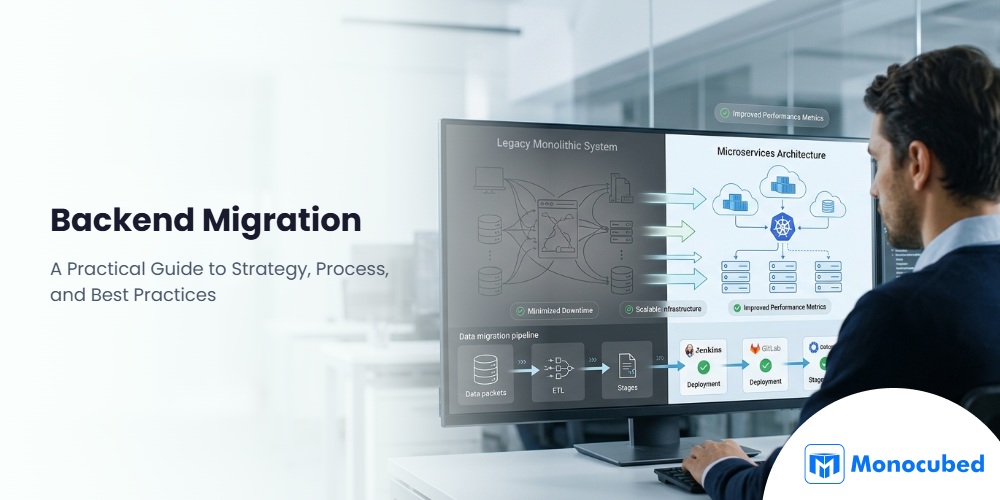
Unlike a simple software update, backend migration often involves rethinking how your application is built at a foundational level. It can mean switching programming languages, moving databases, adopting cloud infrastructure, or breaking a monolithic application into microservices. The scope depends entirely on what is driving the migration and what you need your backend to do next.
Understanding the type of migration you are dealing with is the first step toward building a realistic plan.
Types of Backend Migration
1. Database migration
Database migration involves moving data, schemas, or entire database engines from one system to another. A common example is migrating from MySQL to PostgreSQL for better support of complex queries, or shifting from a relational database to a NoSQL option like MongoDB when your data model requires more flexibility.
This type of migration requires careful data mapping, validation testing, and a rollback plan. Even small inconsistencies in data types or character encoding can cause silent corruption that surfaces weeks after the transition. Organizations that invest in thorough pre-migration data audits avoid the majority of these issues.
2. Technology stack migration
Technology stack migration means replacing your backend framework or programming language entirely. Businesses frequently move from older PHP codebases to modern frameworks like Node.js or Python Django when they need better performance, a larger developer talent pool, or improved support for real-time features.
This is typically the most complex type of backend migration because it affects every layer of your application. API contracts, authentication flows, business logic, and third-party integrations all need to be rebuilt or adapted for the new stack.
3. Cloud migration
Cloud migration moves your backend from on-premise servers or traditional hosting to cloud infrastructure providers like AWS, Google Cloud Platform, or Microsoft Azure. The primary drivers are scalability, cost efficiency, and reduced operational overhead.
With cloud migration, you gain access to managed database services, auto-scaling, global content delivery networks, and built-in monitoring tools. However, the move requires rearchitecting parts of your application to take advantage of cloud-native features rather than treating the cloud as a more expensive version of your existing server.
4. Architecture migration
Architecture migration restructures how your backend is organized without necessarily changing the programming language. Understanding the differences between front-end and back-end development is important here because architecture changes on the server side often require corresponding adjustments to how the frontend communicates with APIs.
The most common example is migrating from a monolithic application to a microservices architecture, where individual business functions run as independent, loosely coupled services.
This approach improves deployment flexibility, allows teams to scale individual services independently, and reduces the blast radius when something fails. It also introduces complexity around service communication, data consistency, and DevOps infrastructure that needs to be planned for upfront.
Regardless of the type, every backend migration shares the same core objective: moving to an infrastructure that better supports your business goals. The critical question is knowing when the right time to make that move actually is.
Is Your Legacy Backend Slowing Down Your Business?
Monocubed’s backend assessment identifies performance bottlenecks, security risks, and technical debt in your existing system, and maps out the fastest path to a modern, scalable architecture. 200+ migrations and modernization projects completed with zero data loss.
6 Warning Signs Your Backend Needs Migration
Not every performance issue requires a full backend migration. But certain patterns indicate that patching your existing system is no longer a viable long-term strategy. Here are the most common signs that it is time to consider migrating.
1. Performance bottlenecks under growing traffic
Your application slows down or crashes during peak traffic periods, and vertical scaling (adding more server resources) is no longer enough. Response times degrade as your database grows, and users experience timeouts during high-concurrency operations.
2. High maintenance costs and mounting technical debt
Your development team spends more time fixing bugs and working around legacy limitations than building new features. Simple changes require weeks of regression testing because the codebase is tightly coupled and poorly documented.
3. Security vulnerabilities in outdated frameworks
Your backend relies on frameworks or language versions that no longer receive security patches. End-of-life technologies like older PHP versions or deprecated Node.js releases expose your application to known exploits that cannot be patched without upgrading. Understanding what goes into a solid backend development process helps clarify why outdated systems create compounding security risks over time.
4. Inability to integrate with modern APIs and tools
Your backend cannot connect to modern third-party services, payment gateways, or analytics platforms without extensive custom middleware. Newer API standards like GraphQL or WebSocket are difficult or impossible to implement on your current stack.
5. Difficulty hiring developers for legacy tech stacks
Recruiting qualified developers becomes increasingly expensive and slow because fewer engineers want to work with outdated technologies. Your existing team members express frustration with the limitations of the current stack.
6. Compliance gaps with industry regulations
Your backend does not meet current requirements for HIPAA, GDPR, or PCI DSS compliance, and retrofitting the existing system would cost more than migrating to a compliant architecture from the ground up.
If three or more of these signs apply to your situation, a structured backend migration is likely the most cost-effective path forward. Once you have confirmed the need, the next step is selecting a migration strategy that matches your risk tolerance, budget, and technical goals.
Backend Migration Strategies: Which Approach Fits Your Business?
Not every backend migration requires a full rewrite. The industry recognizes several distinct strategies, each with different risk profiles, timelines, and cost implications. Choosing the right migration strategy determines the project’s risk level, timeline, and total cost. The right choice depends on your current system’s condition, your budget, your tolerance for downtime, and how fundamentally you need the new backend to differ from the old one.
1. Rehosting (lift and shift)
Rehosting moves your existing backend to a new environment with minimal changes to the code or architecture. You are essentially picking up the application as it is and placing it on new infrastructure, typically cloud servers.
This is the fastest and lowest-risk migration strategy. It works well when your primary goal is reducing hosting costs, improving uptime, or meeting compliance requirements that mandate specific infrastructure. However, it does not solve performance or scalability problems rooted in your application’s architecture.
2. Replatforming (lift and reshape)
Replatforming involves making targeted optimizations during the migration without rewriting the entire application. For example, you might move your application to cloud infrastructure while simultaneously switching from a self-managed database to a managed service like Amazon RDS or Google Cloud SQL.
This strategy strikes a balance between speed and improvement. You get some of the benefits of cloud-native architecture without the cost and timeline of a full rewrite. It works best when your application logic is sound but your infrastructure needs modernizing.
3. Refactoring and re-architecting
Refactoring restructures your backend code and architecture to take full advantage of modern platforms. This often means breaking a monolithic application into microservices, implementing containerization with Docker and Kubernetes, or adopting event-driven architecture patterns.
This strategy delivers the greatest long-term benefits in terms of scalability, maintainability, and deployment speed. But it also carries the highest cost and risk. Refactoring is the right choice when your current architecture fundamentally cannot support your growth plans, and incremental improvements will not bridge the gap. If your backend struggles with slow response times before you even begin restructuring, our guide on backend performance optimization covers what to address first.
4. Rebuilding from scratch
Rebuilding means discarding the existing codebase entirely and developing a new backend from the ground up. This is typically reserved for situations where the legacy system is so outdated, poorly documented, or technically constrained that modifying it costs more than starting fresh.
While rebuilding gives you complete control over the new architecture, it is the most expensive and time-consuming option. It also carries the risk of losing institutional knowledge embedded in the old codebase. Most organizations should consider rebuilding only after ruling out refactoring and the strangler fig pattern.
5. Strangler fig pattern (incremental migration)
Named after the strangler fig tree that gradually overtakes its host, this pattern replaces legacy backend components one at a time while the old system continues running. New features are built on the modern stack, and existing functionality is migrated module by module until the legacy system can be decommissioned.
Martin Fowler popularized this approach as one of the safest migration strategies for production systems. It minimizes downtime risk, allows teams to learn the new stack incrementally, and delivers value throughout the migration rather than only at the end.
The following table summarizes when each strategy fits best and what to expect in terms of risk, timeline, and investment.
| Strategy | Best For | Risk Level | Timeline | Cost Range |
|---|---|---|---|---|
| Rehosting | Infrastructure upgrade, compliance | Low | 2–4 weeks | $5,000–$15,000 |
| Replatforming | Infrastructure + partial optimization | Low–Medium | 4–8 weeks | $10,000–$30,000 |
| Refactoring | Architecture modernization | Medium–High | 2–4 months | $30,000–$80,000 |
| Rebuilding | End-of-life legacy systems | High | 3–6 months | $50,000–$150,000+ |
| Strangler Fig | Active production systems | Low–Medium | 3–6 months | $30,000–$100,000 |
The right strategy often becomes clear after a thorough assessment of your existing system, which is the first phase of the migration process outlined below.
How to Plan a Backend Migration: 7-Phase Process
Selecting a strategy is only the starting point. The execution plan is where most migrations succeed or fail. A successful backend migration follows a structured, phased process, and skipping or rushing any phase increases the risk of data loss, extended downtime, and cost overruns. Here is the seven-phase process that experienced development teams follow for migrations and modernization projects.
Phase 1: Assessment and audit
Before making any decisions, you need a complete understanding of your current backend, its dependencies, data flows, and performance baselines. This phase creates the foundation for every decision that follows.
- Document all server-side components, frameworks, libraries, and their versions
- Map database schemas, data volumes, and relationships between tables or collections
- Identify all API endpoints, third-party integrations, and external service dependencies
- Record current performance metrics (response times, error rates, throughput) as benchmarks
- Catalog known technical debt, security vulnerabilities, and compliance gaps
Phase 2: Strategy selection and architecture design
Using the findings from the assessment, you select the migration strategy that aligns with your goals, budget, and risk tolerance. This phase also defines the target architecture and technology stack for the new backend. Many businesses engage a full-stack web development services team at this stage to ensure both frontend and backend decisions are aligned from the start.
- Evaluate each migration strategy against your specific constraints and objectives
- Define the target technology stack based on performance needs, team expertise, and scalability goals
- Design the new system architecture, including API structure, database design, and infrastructure layout
- Create a dependency map showing the migration order for interconnected components
- Get stakeholder alignment on strategy, timeline, and budget before proceeding
Phase 3: Data migration planning
Data is the highest-risk element of any backend migration. This phase creates a detailed plan for moving data safely, with validation checkpoints and rollback procedures at every stage.
- Define data mapping rules between source and target schemas
- Build and test automated data migration scripts on a subset of production data
- Establish data validation rules to verify integrity after each migration batch
- Plan the cutover window and define rollback triggers if validation fails
- Set up a parallel data sync strategy if you need a zero-downtime migration
Phase 4: Development and implementation
This is where the migration plan becomes working code. Whether you are refactoring modules, building new services, or configuring cloud infrastructure, this phase follows the architecture designed in Phase 2. For teams that lack in-house capacity for this phase, hiring backend developers with migration experience can accelerate delivery without compromising quality.
- Set up the target environment with proper security configurations, monitoring, and logging
- Migrate or rebuild backend components following the prioritized dependency map
- Implement API versioning to maintain backward compatibility during the transition
- Configure CI/CD pipelines for automated testing and deployment in the new environment
- Conduct code reviews with a focus on security, performance, and adherence to the new architecture
Phase 5: Testing and validation
Testing during backend migration goes beyond standard QA. You need to verify that the new system produces identical results to the old one, handles edge cases correctly, and performs under load.
- Run functional tests comparing outputs between old and new systems for identical inputs
- Execute load tests simulating peak traffic to validate performance under stress
- Test all API endpoints for correct response formats, status codes, and error handling
- Validate data integrity by comparing record counts, checksums, and critical business data
- Perform security testing, including penetration tests and vulnerability scans
Phase 6: Deployment and go-live
The deployment strategy determines whether your migration involves downtime. For most production systems, a blue-green or canary deployment approach minimizes user impact.
- Deploy the new backend in a staging environment that mirrors production exactly
- Run a final mock migration with production-scale data to validate timing and procedures
- Execute the migration during your lowest-traffic window with the full team available
- Monitor error rates, response times, and system resource usage in real time during cutover
- Keep the old system running in read-only mode until the new system is fully validated
Phase 7: Post-migration optimization
The migration is not complete when the new system goes live. The first 30–90 days are critical for identifying issues that only surface under real production workloads and for optimizing performance.
- Monitor application performance metrics daily and compare against pre-migration benchmarks
- Tune database queries, caching strategies, and resource allocation based on actual usage patterns
- Address any integration issues with third-party services that appear under production conditions
- Decommission the old system only after the new system has proven stable for an agreed period
- Document the entire migration process, decisions made, and lessons learned for future reference
Following this structured process significantly reduces the risk of common migration failures. However, even well-planned projects encounter obstacles, and knowing what to expect helps your team respond quickly.
Avoid Migration Risks With a Proven Backend Planning Approach
Our structured migration process covers every phase from system audit to post-launch optimization, so you get accurate timelines, realistic cost estimates, and a rollback plan before any code is touched. Skip the guesswork and start with a clear roadmap.
5 Common Backend Migration Challenges and How to Overcome Them
Even with a structured process in place, backend migrations introduce risks that teams need to anticipate. Understanding the most frequent challenges and having mitigation strategies ready makes the difference between a temporary setback and a project failure.
1. Data loss and corruption
During backend migration, data loss can occur if records fail to transfer completely, relationships between tables break, or encoding issues corrupt text fields. Such problems may go unnoticed for weeks, potentially impacting critical business operations and decision-making. Careful planning, thorough testing, and robust backup strategies are essential to prevent data corruption and ensure a smooth migration.
How to overcome
- Perform a full data audit and quality assessment before migration begins
- Run migration scripts on a copy of production data and validate results before the real cutover
- Implement checksum validation at every stage to catch corruption immediately
- Maintain a complete, tested backup of the source system throughout the migration process
2. Downtime and service disruption
Migration-related downtime can cost businesses thousands of dollars per minute in lost transactions and degraded user experience. Complex migrations that involve database schema changes and API rewrites carry the highest downtime risk, especially when rollback procedures are not well-tested.
How to overcome
- Use blue-green deployment to keep the old system running until the new one is validated
- Schedule the cutover during your lowest-traffic period with the full engineering team on standby
- Test your rollback procedure before the migration, not during it
- Consider the strangler fig pattern if zero downtime is a hard business requirement
3. Cost and timeline overruns
Many migration projects exceed their initial budget. Cost overruns often occur when the assessment phase is rushed, hidden dependencies appear during development, or additional requirements are added mid-migration. Careful planning, thorough audits, and clear scope definition are essential to control costs and avoid unexpected budget increases during the migration process.
How to overcome
- Invest adequate time in the assessment phase to uncover hidden dependencies and risks
- Define a clear scope document with explicit boundaries on what is and is not included
- Build a 15–20% contingency buffer into both timeline and budget estimates
- Use phased delivery to surface issues early before they compound
4. API compatibility and integration breaks
When you change your backend, every system that connects to it is affected. Third-party integrations, mobile applications, frontend clients, and partner APIs all depend on specific endpoint structures, authentication methods, and response formats.
How to overcome
- Maintain API versioning throughout the migration to avoid breaking existing consumers
- Build a comprehensive integration test suite that covers every external touchpoint
- Communicate migration timelines and breaking changes to all API consumers well in advance
- Use an API gateway to route traffic between old and new backends during the transition
5. Team knowledge gaps
Migrating to a new technology stack means your team needs to learn new tools, patterns, and best practices. Underestimating the learning curve leads to slower development, lower code quality, and team frustration during the most critical phase of the project.
How to overcome
- Invest in team training and proof-of-concept projects before starting the production migration
- Pair experienced engineers with those learning the new stack during code reviews
- Consider hiring or partnering with specialists who have deep experience in the target technology
- Hire dedicated full-stack developers to fill expertise gaps without slowing down your internal team
Anticipating these challenges during the planning phase keeps your migration on track. The next consideration most decision-makers need clarity on is what the migration will actually cost and how long it will take.
How Much Does Backend Migration Cost and How Long Does It Take?
Budget and timeline are among the first questions stakeholders ask when evaluating a backend migration. The answer depends on multiple factors, but having realistic ranges helps set expectations early and prevents scope surprises mid-project.
Backend migration cost and timeline by strategy
The table below breaks down estimated costs and timelines by migration strategy. These ranges reflect typical projects for mid-size web applications with standard integrations and data volumes.
| Migration Strategy | Estimated Cost | Estimated Timeline | Best For |
|---|---|---|---|
| Rehosting (lift and shift) | $5,000–$15,000 | 2–4 weeks | Infrastructure upgrades, compliance mandates |
| Replatforming (lift and reshape) | $10,000–$30,000 | 4–8 weeks | Infrastructure modernization with targeted optimizations |
| Refactoring / Re-architecting | $30,000–$80,000 | 2–4 months | Monolith-to-microservices, scalability overhauls |
| Rebuilding from scratch | $50,000–$150,000+ | 3–6 months | End-of-life systems beyond repair |
| Strangler fig (incremental) | $30,000–$100,000 | 3–6 months | Active production systems that cannot afford downtime |
These are baseline ranges. Enterprise projects with complex compliance requirements, high data volumes, or dozens of third-party integrations can exceed these figures. Many businesses shorten these timelines by choosing to outsource backend development to a team that has already executed similar migrations at scale.
Key factors that influence cost
Not every migration within the same strategy costs the same. The final number depends on several variables that are specific to your system and business context.
- Number of third-party integrations that need re-establishing (payment gateways, CRMs, ERPs, analytics platforms)
- Volume and complexity of data being migrated, including schema transformations and historical records
- Compliance requirements that mandate specific security controls (HIPAA, GDPR, PCI DSS)
- Zero-downtime requirements that demand parallel running, blue-green deployment, or canary releases
- Team availability and expertise in both the legacy stack and the target technology
How to get an accurate estimate
Generic cost calculators and industry averages can only take you so far. The most reliable approach is to start with a paid discovery phase. A 1–2 week assessment with an experienced web development consulting services team gives you a detailed scope document, architecture blueprint, and realistic cost and timeline estimates based on your actual system.
Once you have a clear picture of the budget and timeline, the next decision that shapes your migration’s long-term success is which technology stack to build your new backend on.
Choosing the Right Backend Technology Stack for Your New Architecture
Backend migration is not just about moving away from an old system. It is an opportunity to select a technology stack that aligns with your current needs and future growth plans. Our breakdown of the most popular web frameworks covers the broader landscape, but here we focus specifically on backend options and when each one makes sense based on your application’s workload profile and growth goals.
1. Node.js for real-time and high-concurrency applications
Node.js excels in applications that require handling many simultaneous connections with low latency. Its event-driven, non-blocking architecture makes it ideal for chat applications, live dashboards, collaborative tools, and APIs that serve mobile and web clients simultaneously.
The npm ecosystem provides packages for nearly every integration scenario, and the JavaScript-everywhere approach simplifies hiring and reduces context switching between frontend and backend development.
2. Python Django for data-heavy and AI-integrated platforms
Django’s batteries-included philosophy provides built-in ORM, authentication, admin panels, and migration tools out of the box. It is the strongest choice for data-intensive applications, AI and machine learning integrations, and platforms that require rapid prototyping with production-grade security.
If you are weighing Django against Node.js for your new backend, our detailed Django vs Node.js comparison breaks down the differences by performance, scalability, and use case.
3. Laravel for content-driven and eCommerce applications
Laravel brings an elegant syntax and a rich ecosystem of tools (Forge, Vapor, Nova) that accelerate development for content management systems, eCommerce platforms, and SaaS applications. Its built-in support for queues, scheduling, and caching makes it well-suited for projects that need to handle background processing and complex business logic.
4. GoLang for high-performance backend systems
Go is designed for performance-critical backend systems where concurrency, low memory usage, and fast execution are priorities. It is the preferred choice for microservices architectures, API gateways, and infrastructure tools. Companies migrating from monolithic backends to distributed systems often choose Go for its simplicity, compile-time safety, and excellent support for containerized deployments.
Choosing a stack is a decision that affects hiring, maintenance costs, and product velocity for years. Whether you need a real-time API layer in Node.js or a data-driven web application in Django, working with an experienced web app development partner helps you evaluate options against your specific requirements before committing.
Don’t Let the Wrong Stack Slow Your Growth
Get expert guidance to pick the backend technology that ensures performance, scalability, and efficiency.
Build a Future-Ready Backend With Monocubed
Backend migration is not a routine maintenance task. It is a strategic investment that determines how fast your product can evolve, how well it handles growth, and how much it costs to operate over the long term. Businesses that approach migration with a clear strategy, structured process, and realistic expectations consistently outperform those that treat it as a one-time infrastructure change.
Monocubed is an AI web development services company with 6+ years of experience, 200+ successfully delivered projects, and a team of 50+ certified full-stack developers. We have helped businesses across healthcare, fintech, eCommerce, and enterprise SaaS migrate legacy backends to modern, scalable architectures, all while maintaining uptime and data integrity.
Our backend migration work includes technology stack migrations (PHP to Node.js, monolith to microservices), cloud infrastructure transitions to AWS and GCP, database migrations across relational and NoSQL systems, and API re-architecture for better performance and third-party integration. Every migration follows our systematic six-phase development process with full transparency at every stage.
Ready to migrate your backend without the risk? Schedule a free consultation with our team to assess your current system, evaluate migration strategies, and get a clear roadmap with honest cost and timeline estimates. Let’s build a backend that supports your next phase of growth.
Frequently Asked Questions
-
How long does a backend migration take?
Timelines range from 2–4 weeks for a simple rehosting to 3–6 months for a full rebuild or large-scale architecture migration. The primary factors that affect duration are system complexity, data volume, the number of third-party integrations, and whether zero-downtime deployment is required. -
How much does backend migration cost?
Costs range from $5,000–$15,000 for basic rehosting to $50,000–$150,000+ for full rebuilds of complex enterprise backends. A paid discovery phase with an experienced development team will give you the most accurate estimate based on your specific system. -
Can you migrate a backend without downtime?
Yes, through strategies like blue-green deployment, canary releases, and the strangler fig pattern. These approaches keep the old system running while the new backend is validated under real production traffic. Zero-downtime migration requires more planning and investment but is achievable for most applications. -
What is the strangler fig pattern?
The strangler fig pattern is an incremental migration strategy where legacy backend components are replaced one at a time while the old system continues operating. New features are built on the modern stack, and existing functionality is migrated module by module until the legacy system can be decommissioned entirely. -
When should you rebuild versus refactor a backend?
Rebuild when the existing codebase is so outdated, undocumented, or architecturally constrained that modifying it costs more than starting fresh. Refactor when the core business logic is sound but the architecture needs restructuring for better scalability, performance, or maintainability. Most systems benefit more from refactoring than rebuilding. -
Can backend migration impact SEO or website rankings?
Yes, backend migration can affect SEO if not handled carefully. Changes to APIs, page load speed, server response times, or URL structures may impact search rankings. To prevent issues, maintain consistent URLs, implement proper redirects, monitor Core Web Vitals, and test performance before and after migration. A well-executed migration can actually improve SEO through faster load times and better stability. -
Should you migrate your backend in-house or outsource it?
The choice depends on your team’s expertise and project complexity. In-house migration works if your team has prior experience with similar systems and sufficient bandwidth. Outsourcing is often faster and less risky for complex migrations, especially when adopting new technologies. External experts bring proven frameworks, reduce trial-and-error, and help avoid costly mistakes during critical migration phases. -
How do you prioritize features during backend migration?
Feature prioritization during migration should focus on business-critical functionality first. Core features that directly impact revenue, user experience, or system stability should be migrated or rebuilt early. Less critical features can follow in later phases. This phased approach ensures continuity, reduces risk, and allows teams to validate performance and stability before scaling the migration further. -
What happens if a backend migration fails?
If a backend migration fails, systems can experience downtime, data inconsistencies, or broken integrations. This is why a rollback strategy is essential. Teams should maintain backups, run parallel environments when possible, and define clear failure triggers. A well-prepared rollback plan allows you to revert to the original system quickly while identifying and fixing issues before retrying migration.

 All our projects are secured by NDA



